Simple parts, many combinations.
Every fee uses the same few parts: a flat amount, a percentage, caps and sometimes an offer. Which parts apply depends on the payment.
How can a merchant find their fee among dozens of combinations, in seconds?
Money in, money out: two products, one merchant.
Take a florist on QuickBooks. Payments charges a fee when customers pay for bouquets. Bill Pay charges a fee when the florist pays suppliers.
- Bills and Subscriptions in QuickBooks
- Sales agent flows
- QuickBooks website
- Desktop and mobile
A short pop-up that left most fees out.
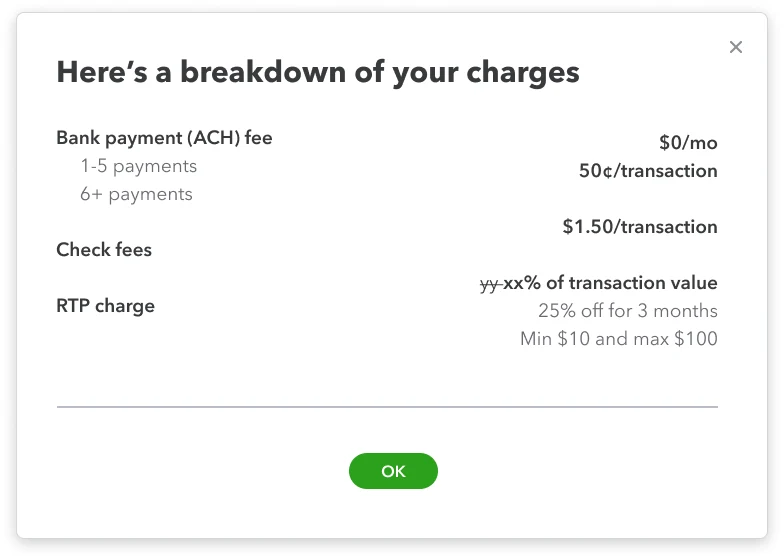
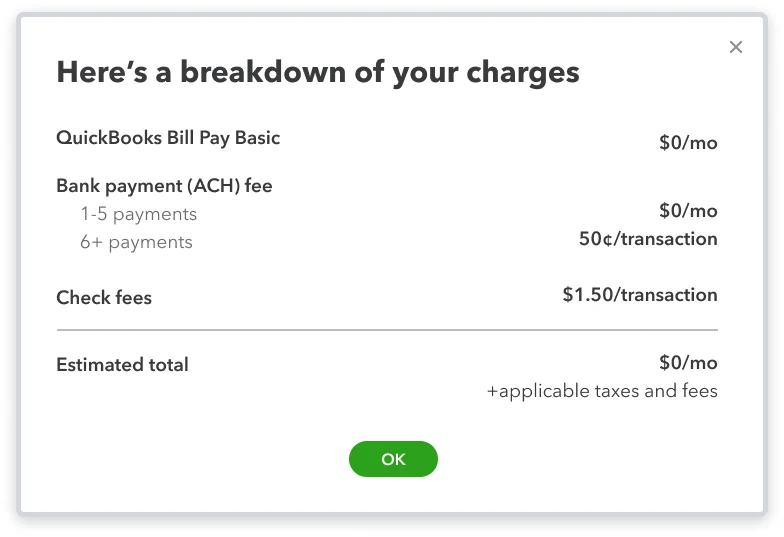
From pricing tool to table.
Fees live in Intuit's pricing tool as rows of parameters. Not every parameter applies to every charge, so the table shows only what matters and makes room for new ones.
- Payment modePayment method column
- Network type + transaction typeOne shared column
- Transaction rangeTransaction range column
- List price + % feeFee, such as “$10 + 0.75%”
- Strikethrough price, % and discountOld price struck through, with an offer badge
- CapUnder the fee, such as “(Min $10 and Max $100)”
Bill PayPayment method, receiving method and fee, grouped by how the merchant pays.
Every table had to fit Intuit's standard modal.
The table opens in a 752px modal. Every extra column squeezes the rest, so the column count shaped every decision.
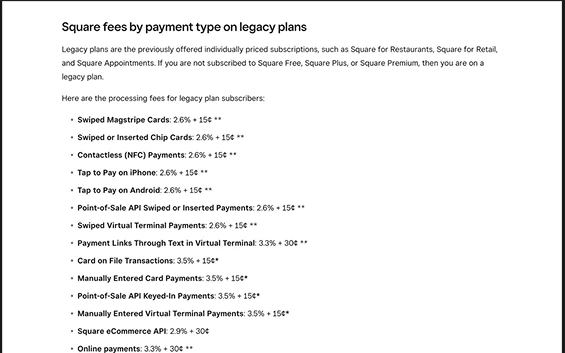
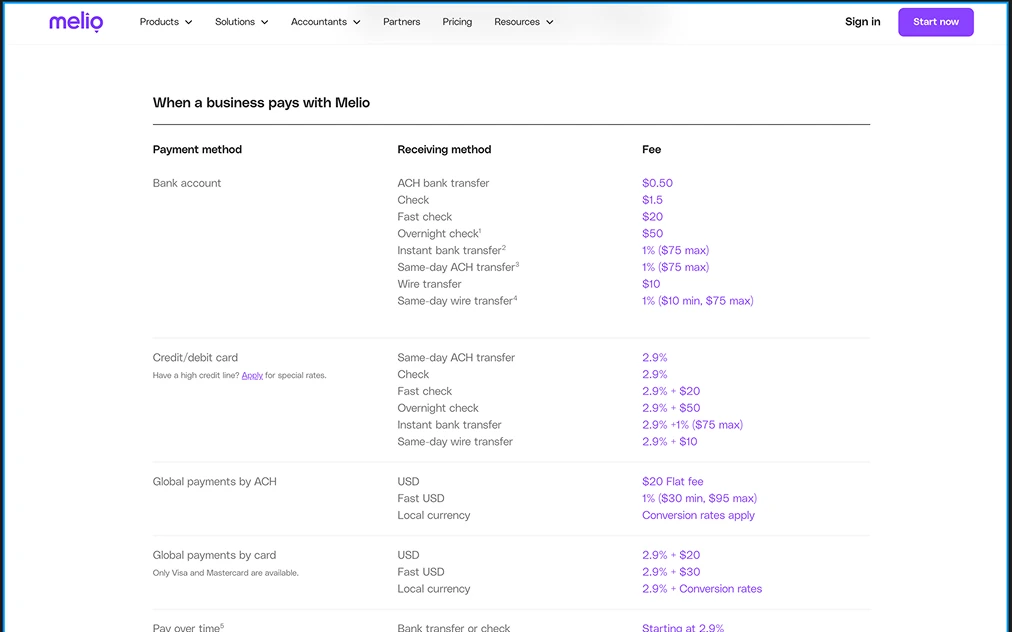
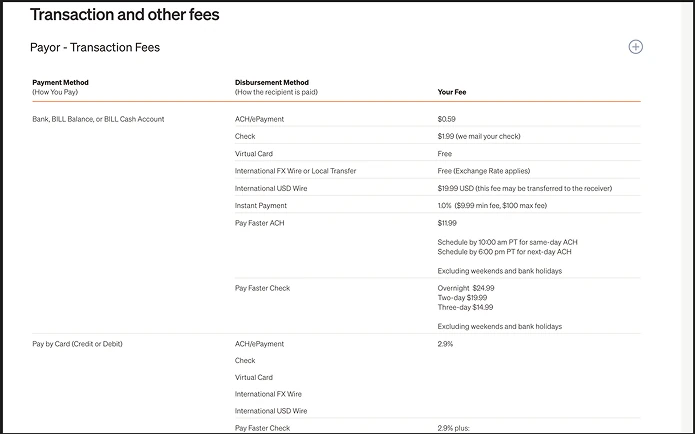
How payment platforms present their fees.
I reviewed fee pages from Stripe, PayPal, Square, Melio and Bill.com, and Intuit's own pop-ups. They set the row and column order.
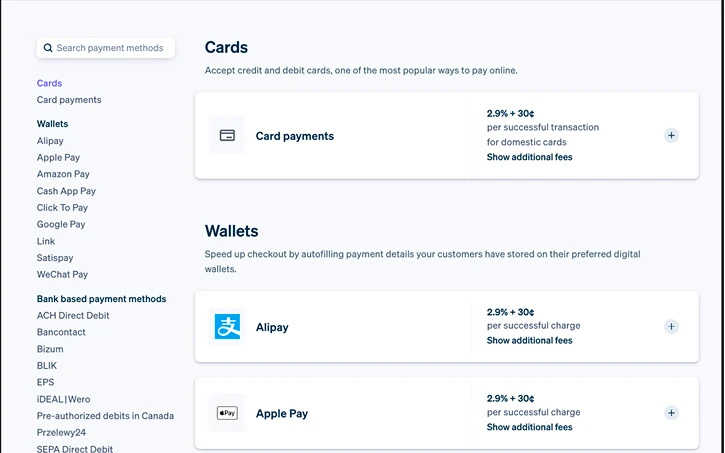
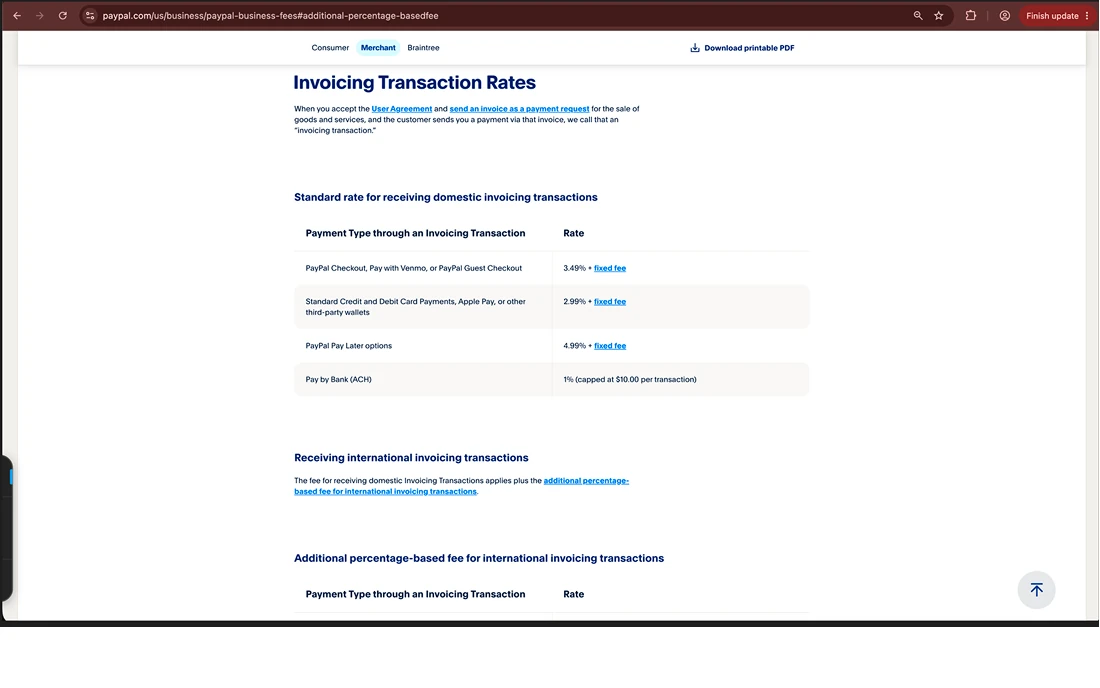
From a complete table to a clear one.
- Market reviewExisting pop-ups and five fee pages
- FigmaFour rounds of structure and layout
-
 ClaudeCoded prototype with icons and collapsible sections
- HandoffPrototype and Figma files to engineering
Four rounds of structure, each within the modal.
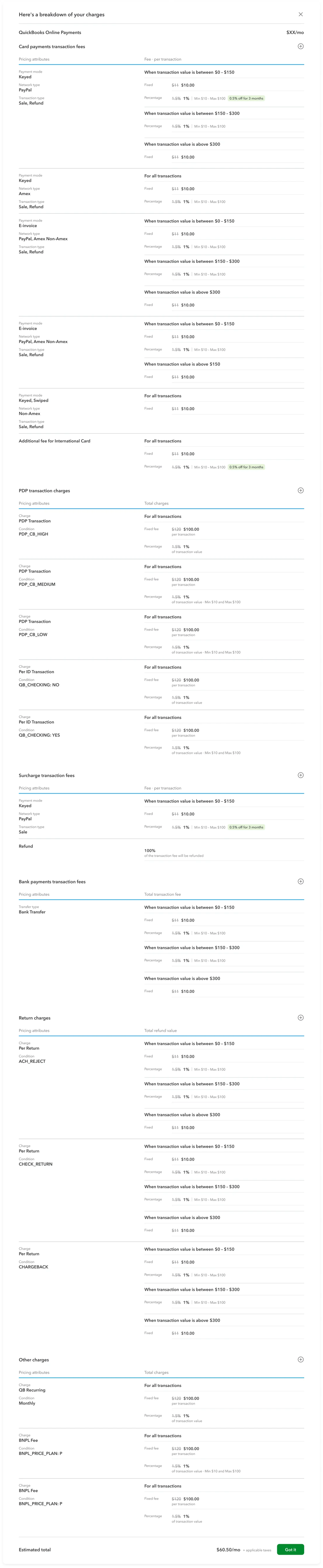
Mirror the pricing tool
Every parameter for every charge, laid out as it is set up. Accurate, but very long.
Minimal styling
Lighter type and spacing on the same structure. Easier on the eye, but just as long.
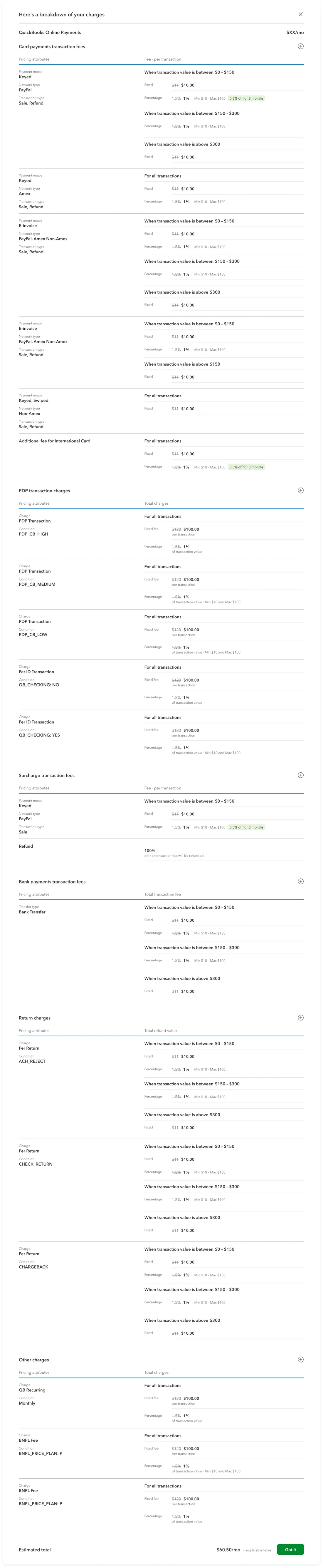
A column grammar
One table per charge type, with the payment method first and the fee last.
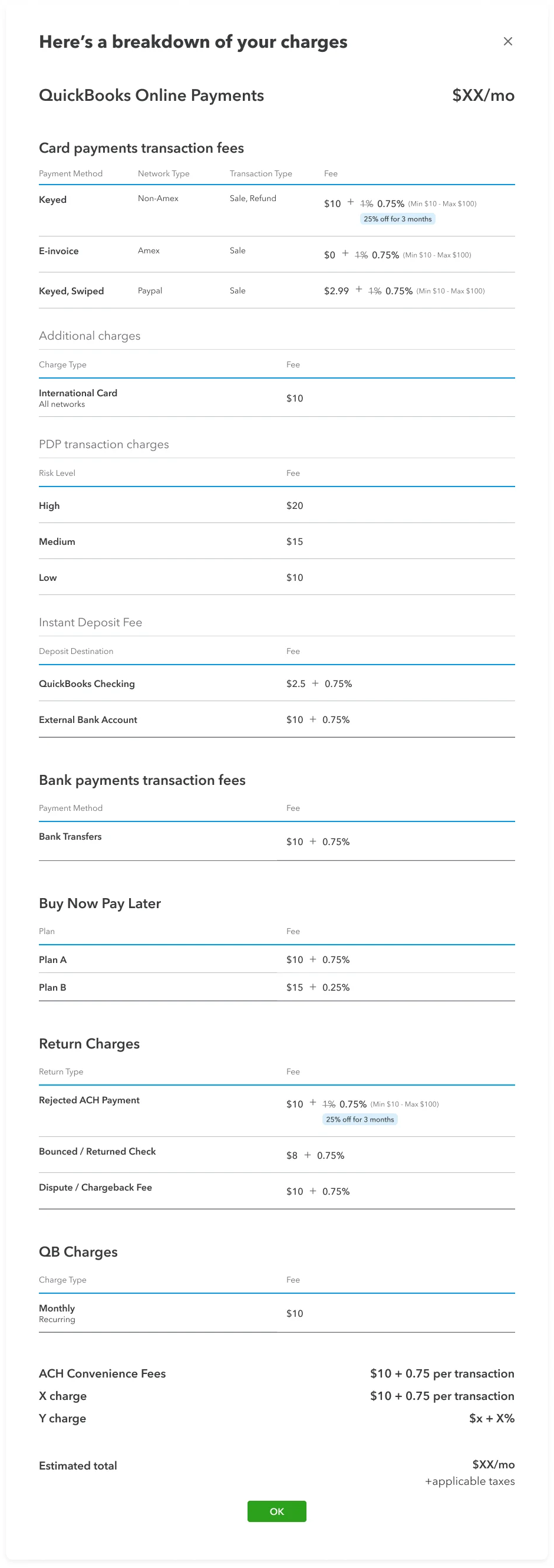
Separate columns
Each attribute in its own column, tested with flat and tiered card fees.
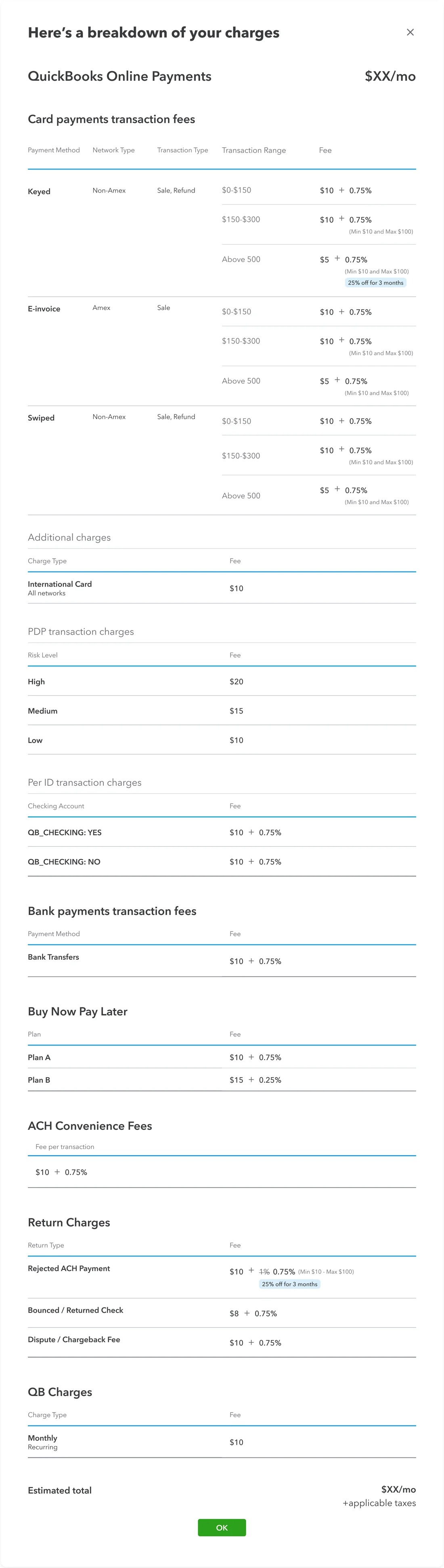
Fewer, clearer columns
Network and transaction type share a column, and caps sit under the fee, so four columns fit the modal.
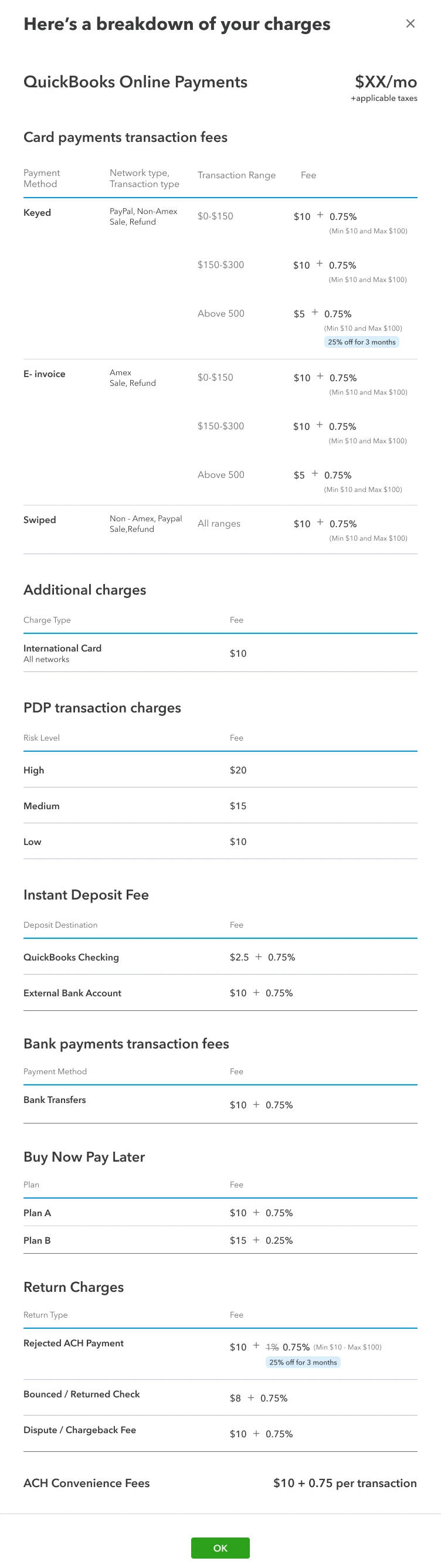
The method stays first and the fee stays last.
New attributes slot in between. When they no longer fit the modal, related attributes share a column.
Fewer, wider columns, within a 752px modal
- Chose
- Four columns: method, network and transaction type together, range, then the fee with caps beneath.
- Over
- One column per attribute, or every attribute combined under the payment method.
- Why
- One column per attribute crowded the 752px modal. Combining everything hid the structure.
A fixed row order, over the order the data arrives in
- Chose
- Card payments first, then bank payments, buy now pay later, return charges and other fees.
- Over
- The order the pricing data returns, which has none.
- Why
- The most-checked, simplest fees come first, based on the existing pop-ups and the market review.
Four columns in a 752px modal, with icons and collapsible sections.
Switch products, fold sections, or see mobile, where the table swipes with the method pinned.
A representation of the real work, rebuilt for this portfolio with illustrative fees.
Team, and what I learned.
Team- My contributionMarket review, table structure, four rounds of iteration, final designs, coded prototype and handoff
- Principal product designerDesign direction and reviews
- Product managerRequirements and scope
- EngineeringBuilding the table from pricing data
Structure is the design
Column and row order did more for clarity than any styling.
Design with the data
Columns built from attribute names let the table grow without new code.
Remove on purpose
Every column we cut made the right fee faster to find.