One cart, two billing timelines.
An order can include three products. Two are paid at checkout. SMS can't be: a business needs an approved application before it can send texts.
- Order placed The card is saved and the email products are paid.
- SMS application Intuit reviews the application.
-
Approved SMS is charged on the next bill.Not approved SMS is never charged.
How should SMS sit in the cart when it isn't charged at checkout?
- 1sales dashboard
MailChimp and QuickBooks, sold from one tool.
- 3products
Email Marketing, Transactional Email and SMS.
- 5purchase steps
From offer to confirmation.
- 30+cart explorations
To settle how SMS shows before approval.
Intuit's agents already talk to small businesses every day.
Customers buy Intuit products in three ways.
-
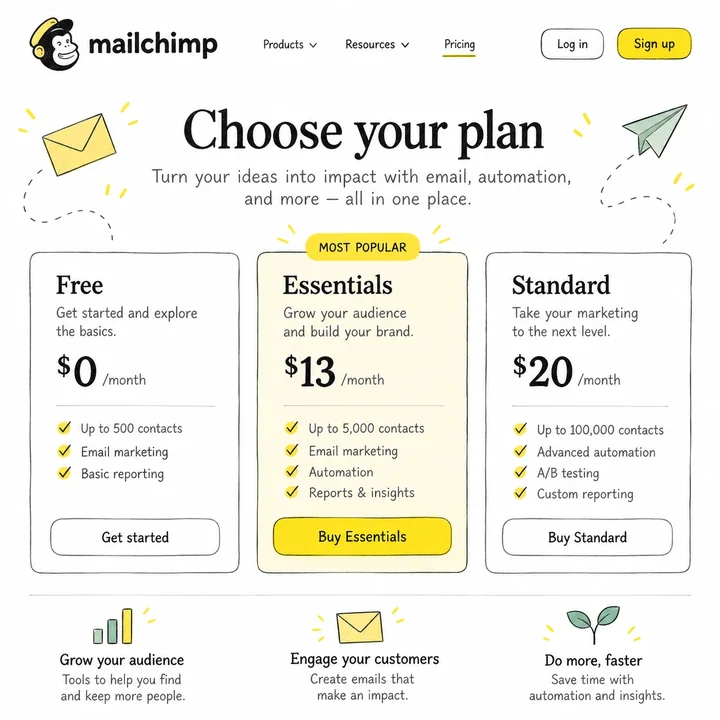
Product website
Self-serve, online.
- New customers: available
- Existing customers: available
-
 This project
Intuit sales agent
An agent buys on the customer's behalf.
- New customers: available
- Existing customers: available
-

In-product
Bills and Subscriptions in Intuit Enterprise Suite.
- New customers: not available
- Existing customers: available
Separate tools and pricing
QuickBooks and MailChimp were sold in different tools, with prices kept in different places.
One sales dashboard
Agents sell MailChimp from Intuit's sales tool, with prices from one source.
Intuit sales agent
Builds the order for the customer on a live call.
- Set up plans and add-ons quickly
- Explain prices, discounts and when each charge lands
- Avoid orders that fail after they're sent
Every pricing rule had to carry over to the sales flow.
I mapped how businesses buy MailChimp today, then listed with product, finance and legal everything an order must capture.
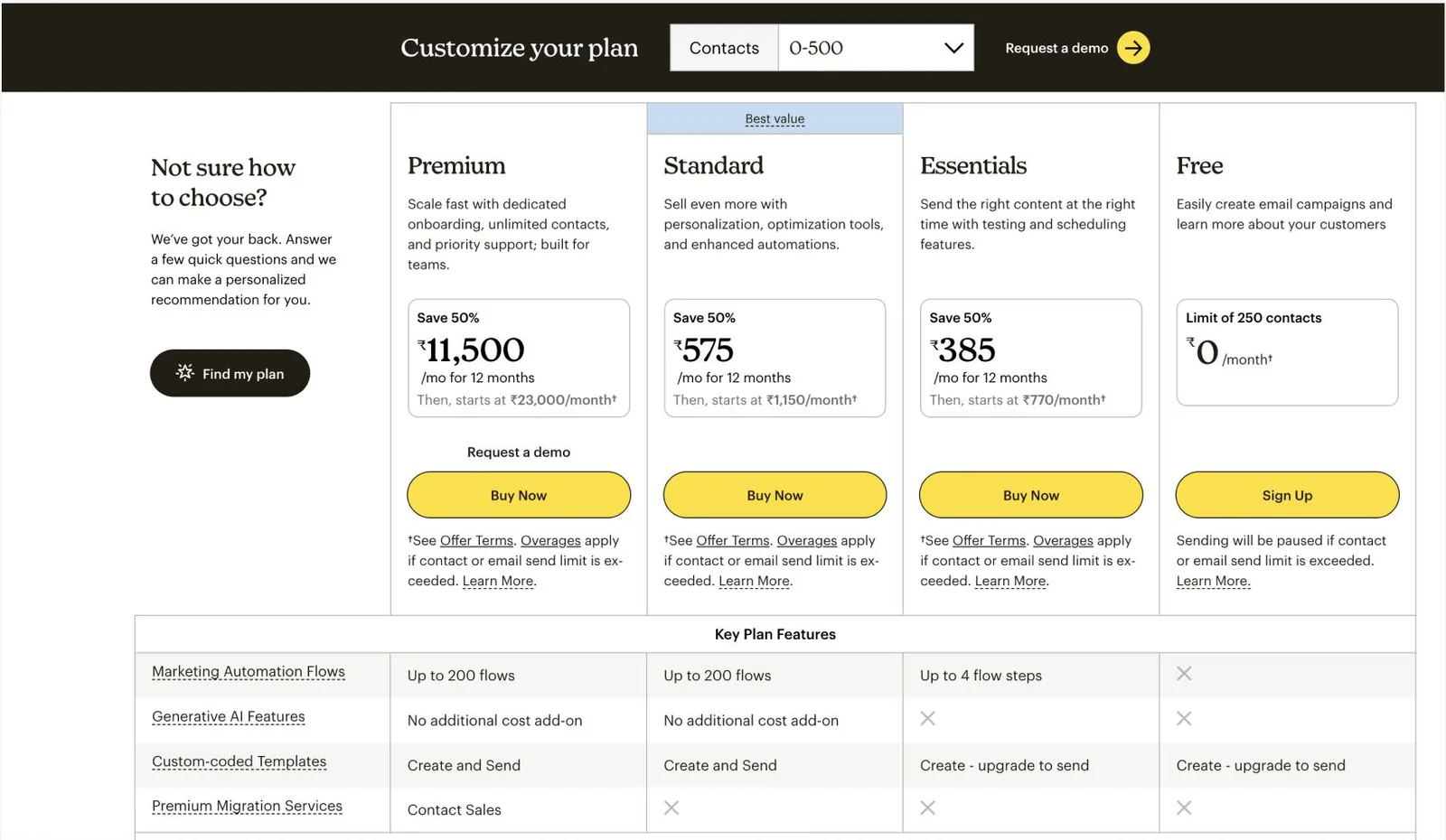
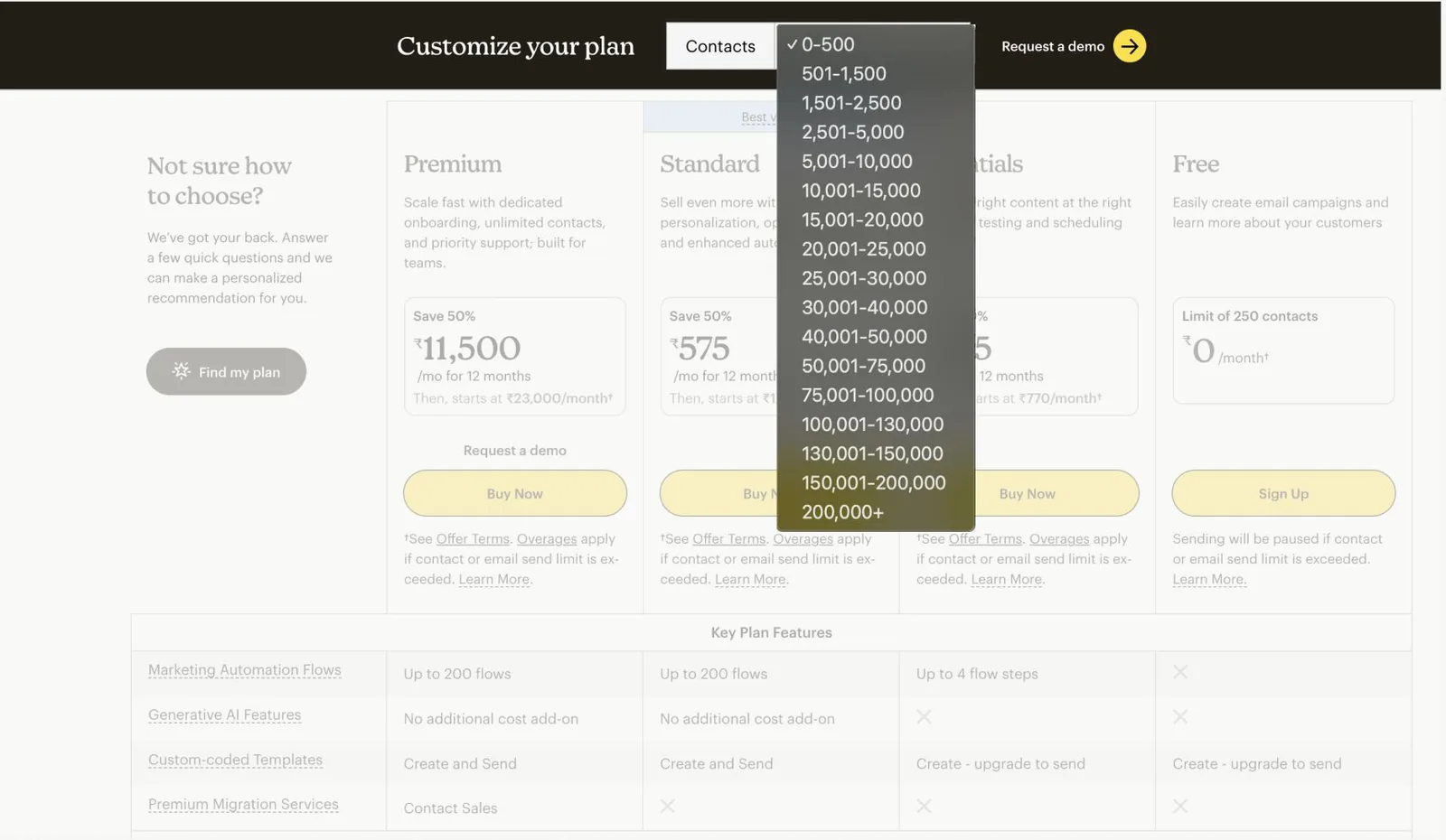
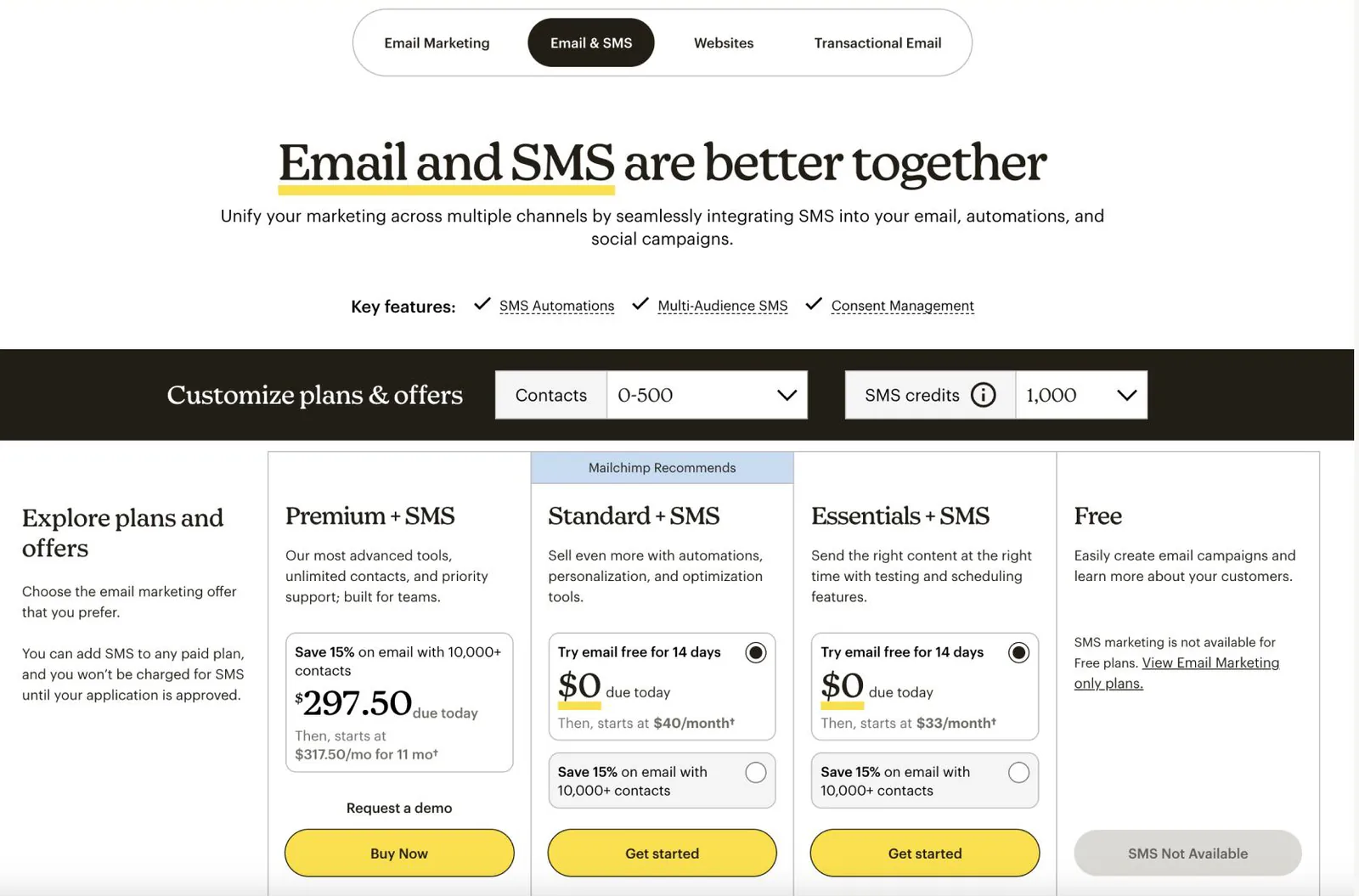
Email Marketing
- Plan
- Essentials, Standard, Premium and higher tiers
- Billing
- Monthly or annual
- Contacts
- The tier sets the price and monthly email volume
- Discount
- A standard percentage for a fixed period
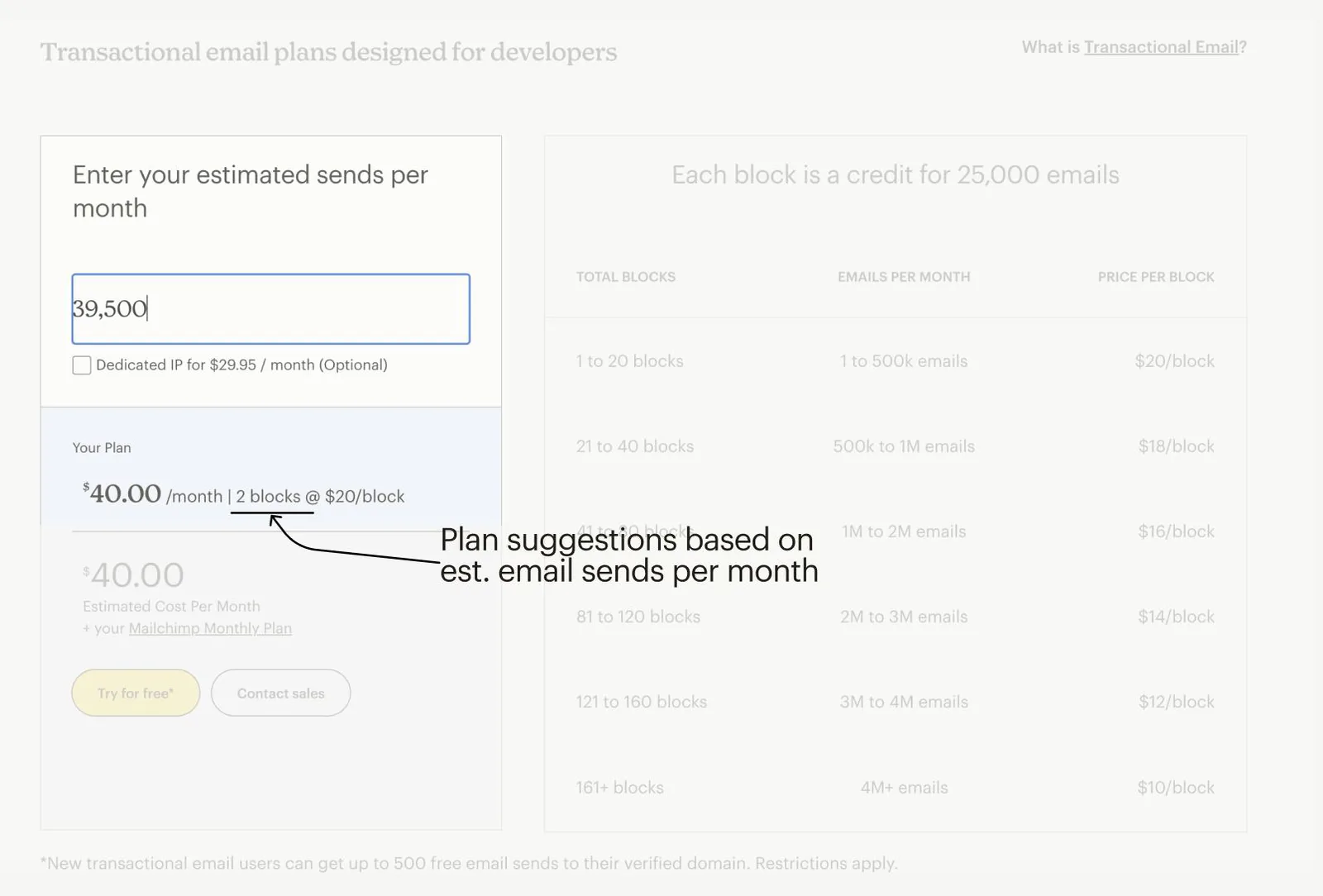
Transactional Email
- Quantity
- Blocks of 25,000 emails
- Pricing
- All blocks priced within the same range
- Billing
- Monthly
- Requires
- An Email Marketing plan in the cart
SMS
- Quantity
- A monthly range of SMS credits
- Requires
- An Email Marketing plan in the cart
- Billing
- Charged only after the SMS application is approved
- Display
- Never shown as $0; it isn't free
Checkout rules
- Customer
- New to both Intuit and MailChimp in phase one
- Region
- United States, in USD
- Tax
- Calculated from the customer's address
- Consent
- Billing consent script read to the customer before submission
From early explorations to the final flow.
-
 MoqupsWireframes and early ideas
- FigmaHigh-fidelity flows, refined across reviews
-
 ClaudeCoded high-fidelity prototypes
- HandoffPrototypes and Figma files to engineering
This was early in Intuit's AI adoption, so we shaped the Claude workflow as we went.
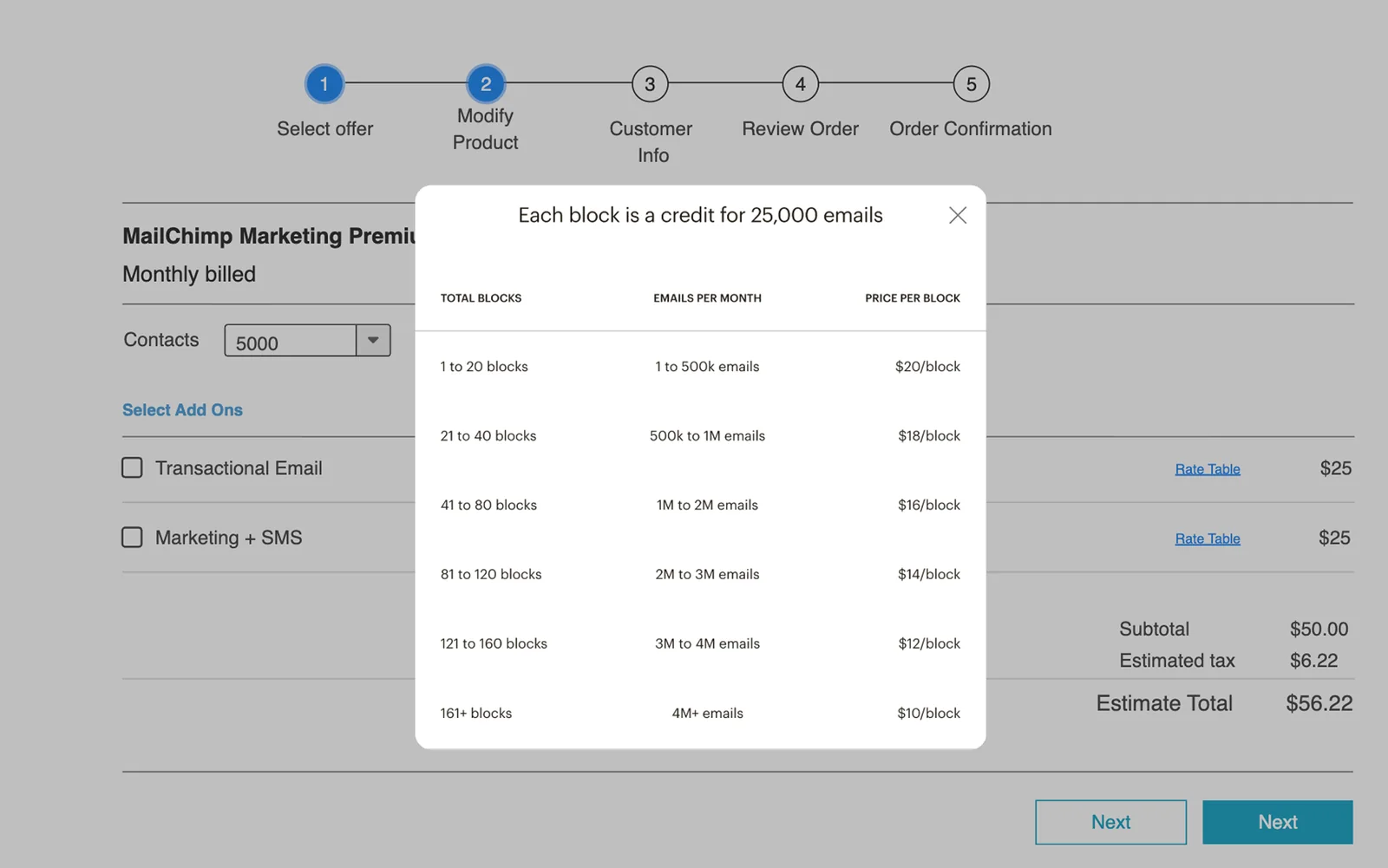
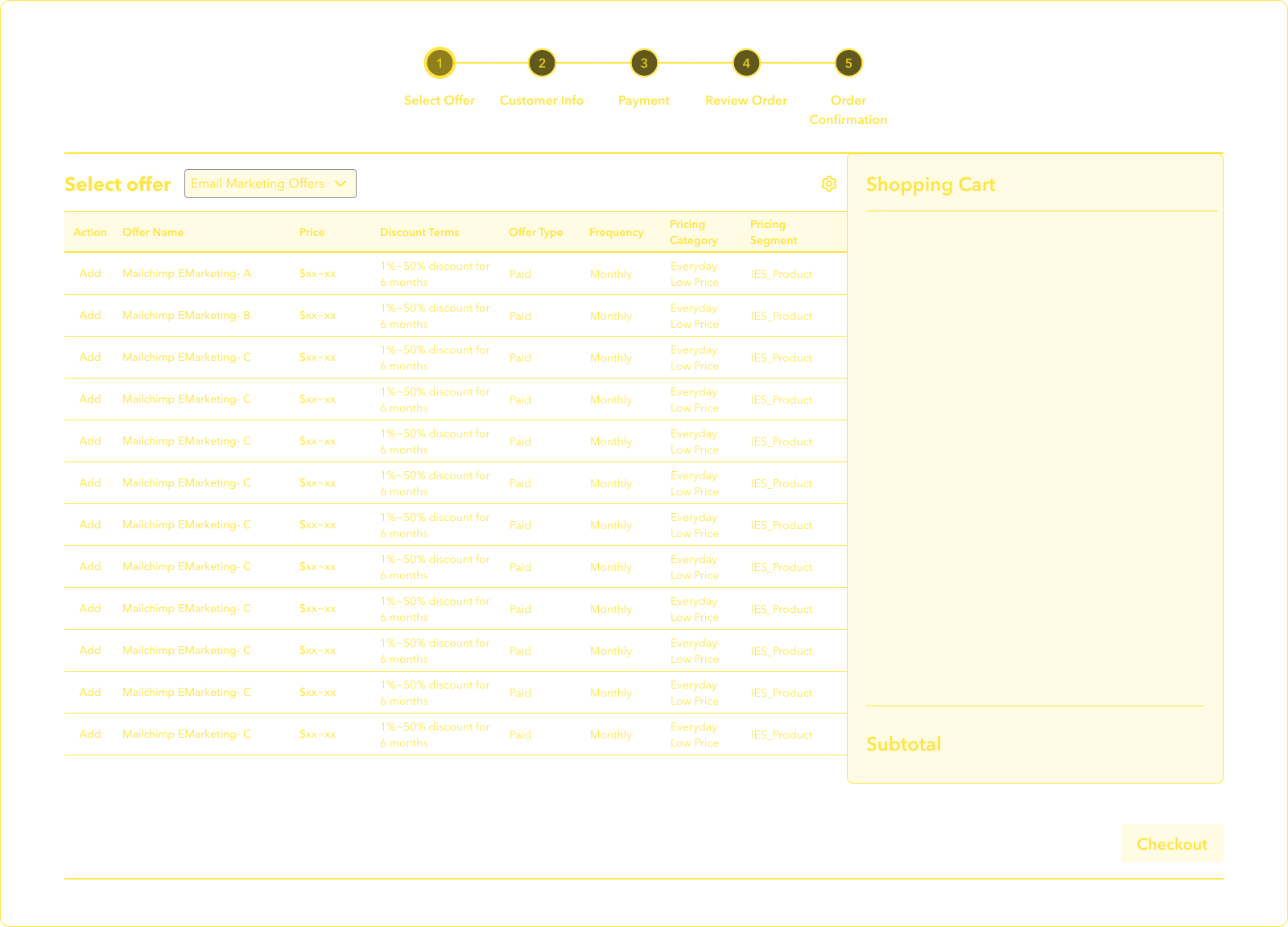
Two options for adding and configuring products.
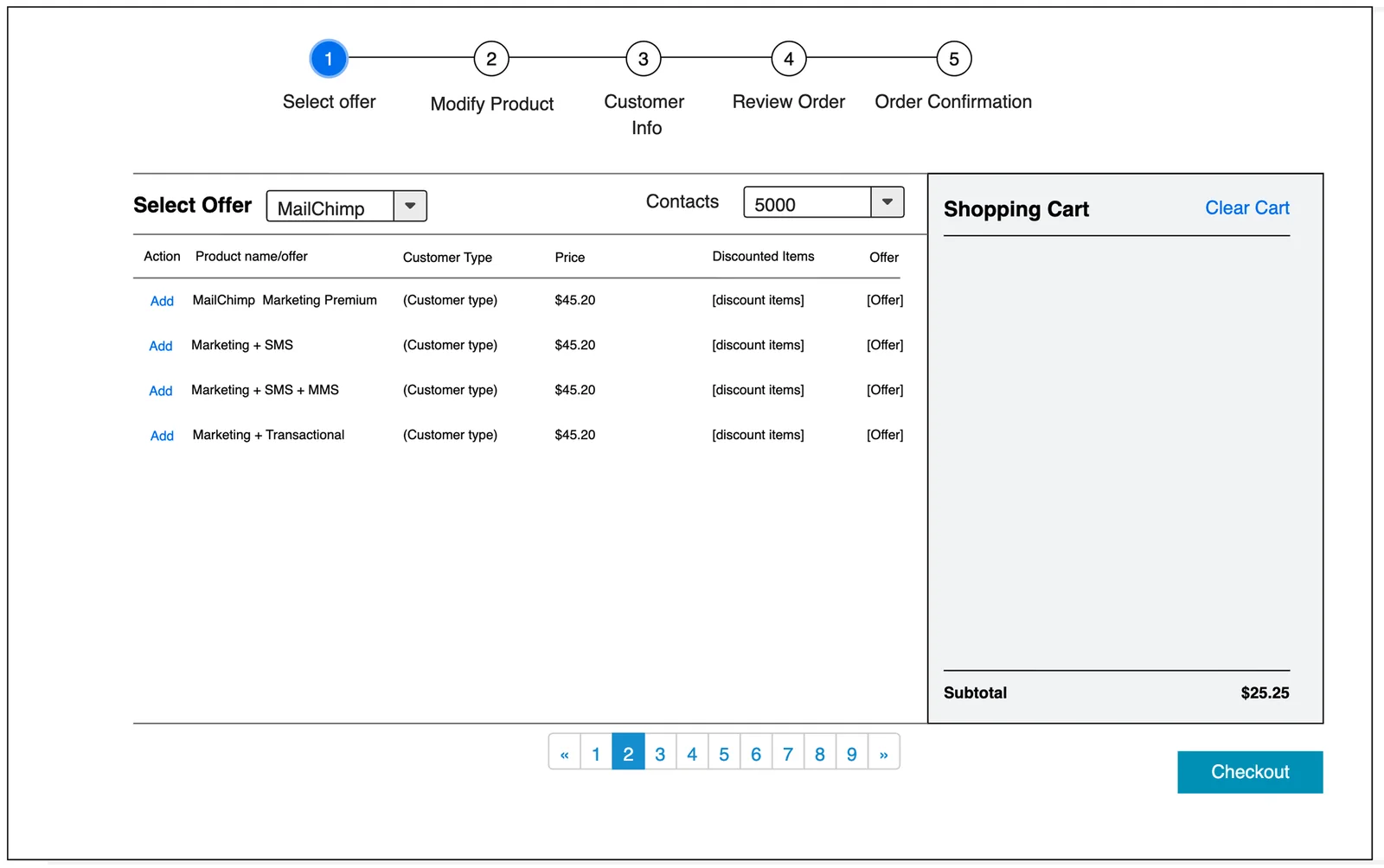
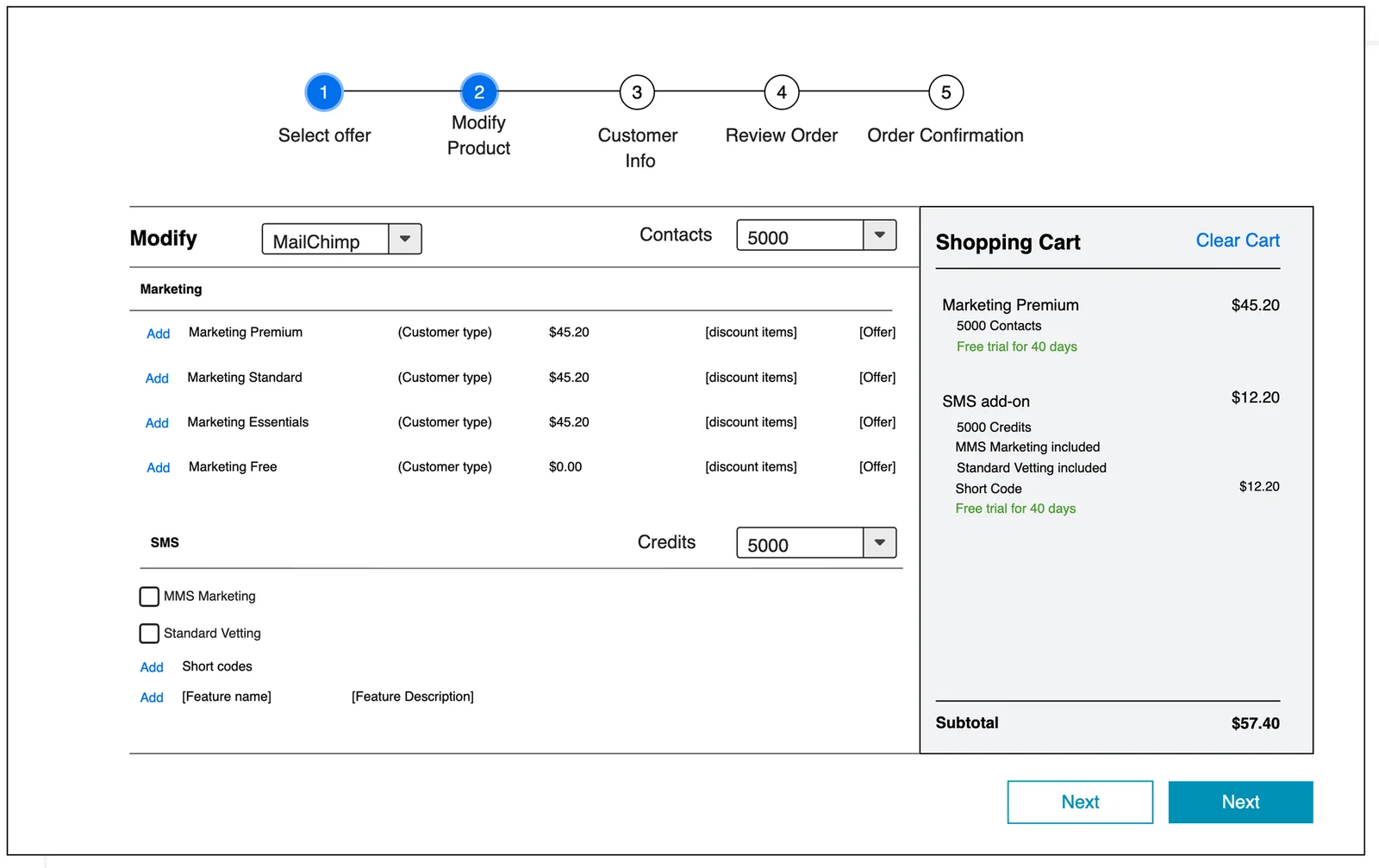
All products on a single page
Every product on one page, with options beside a running cart.
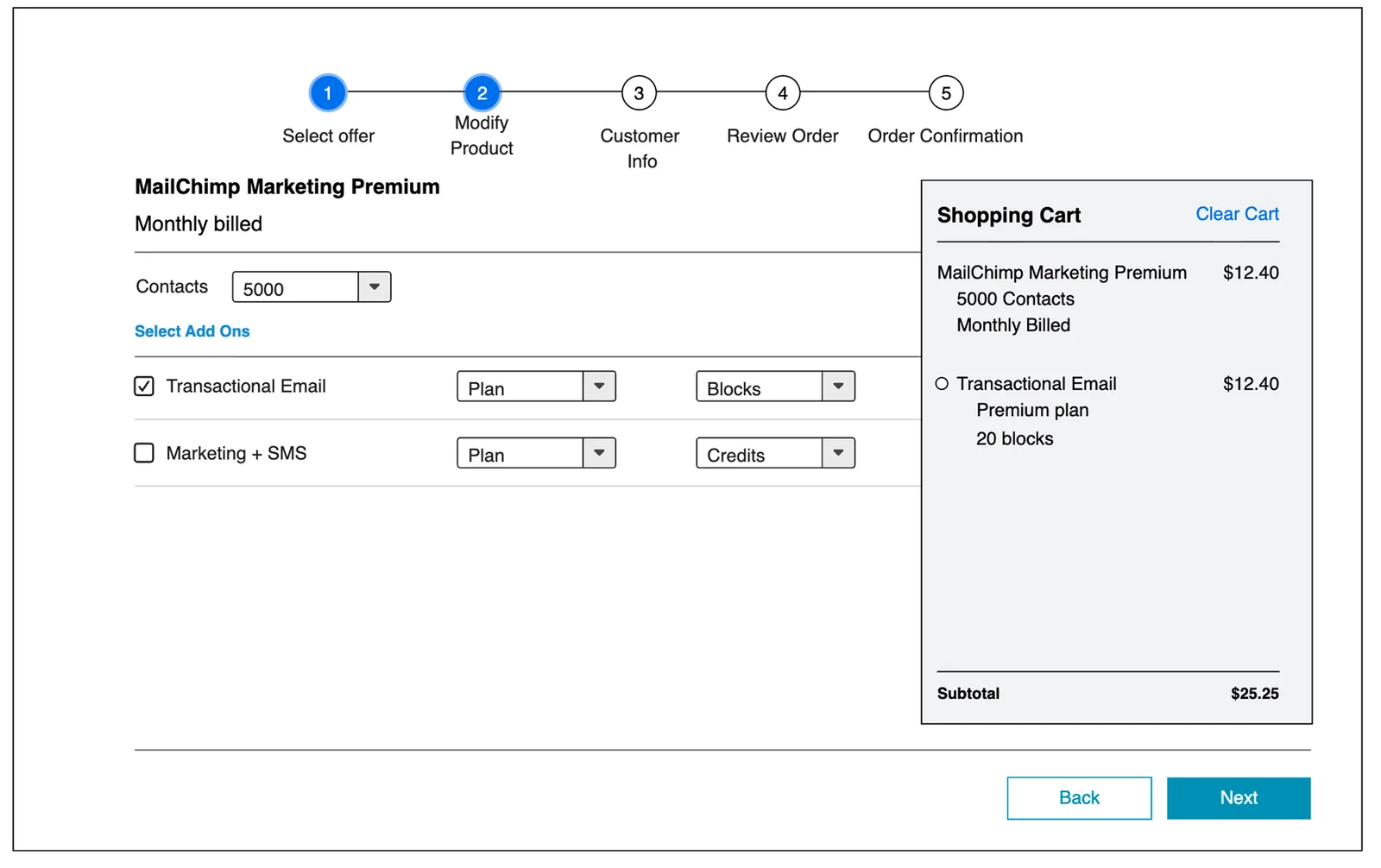
A dedicated step for adding and modifying products
Add-ons grouped under the base plan, with a rate table on demand.
A familiar flow over a simpler new one
- Chose
- The existing sales flow, with dialogs to add and adjust each product.
- Over
- The early explorations, which were simpler on their own.
- Why
- Agents already know it. A one-off flow would need new training and feel out of place. It also fit the timeline and scales to other products.
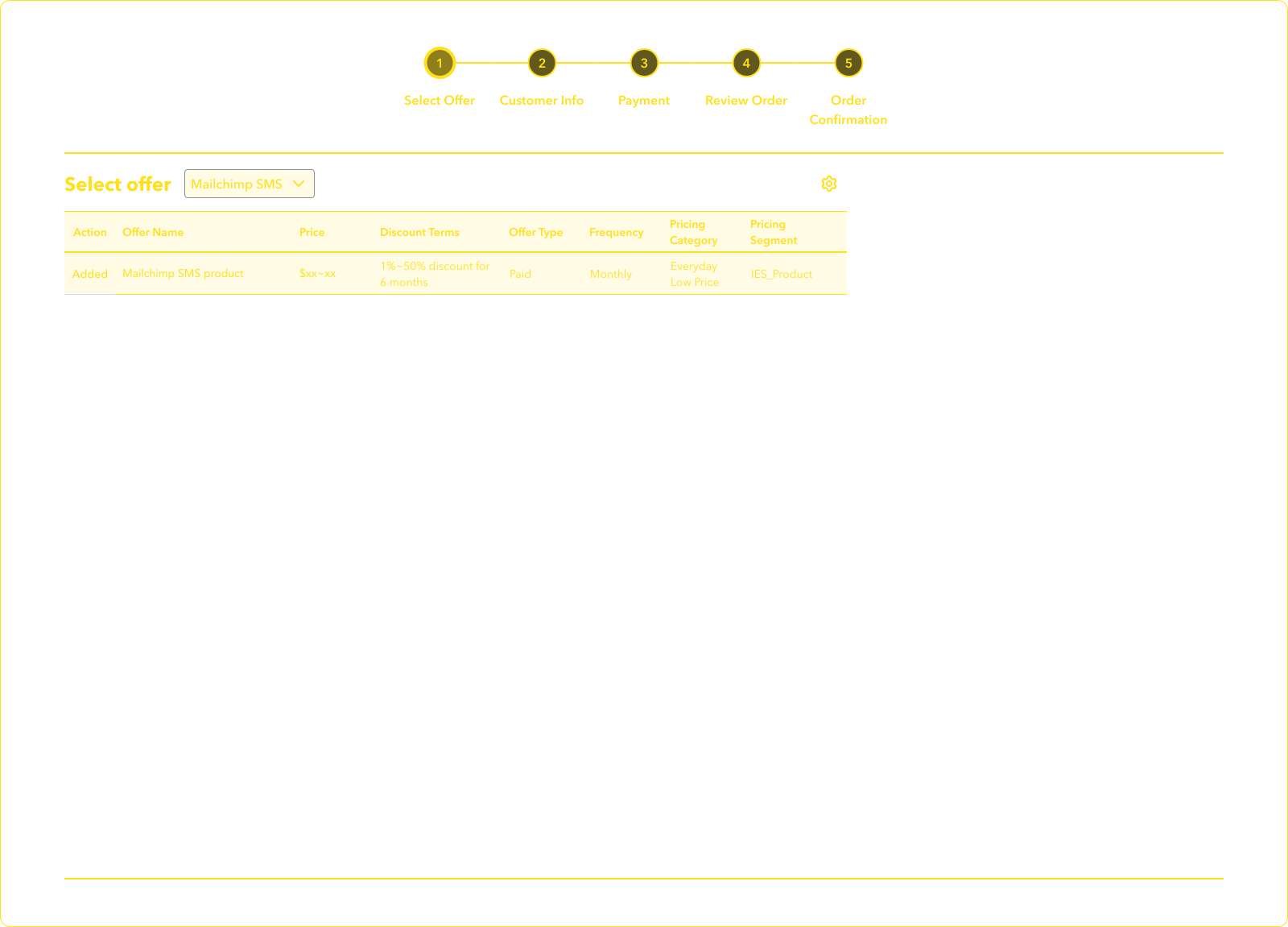
Five steps, from offer to confirmation.
- 01Select offerChoose products, tiers and discounts.
- 02Customer infoCapture business and contact details.
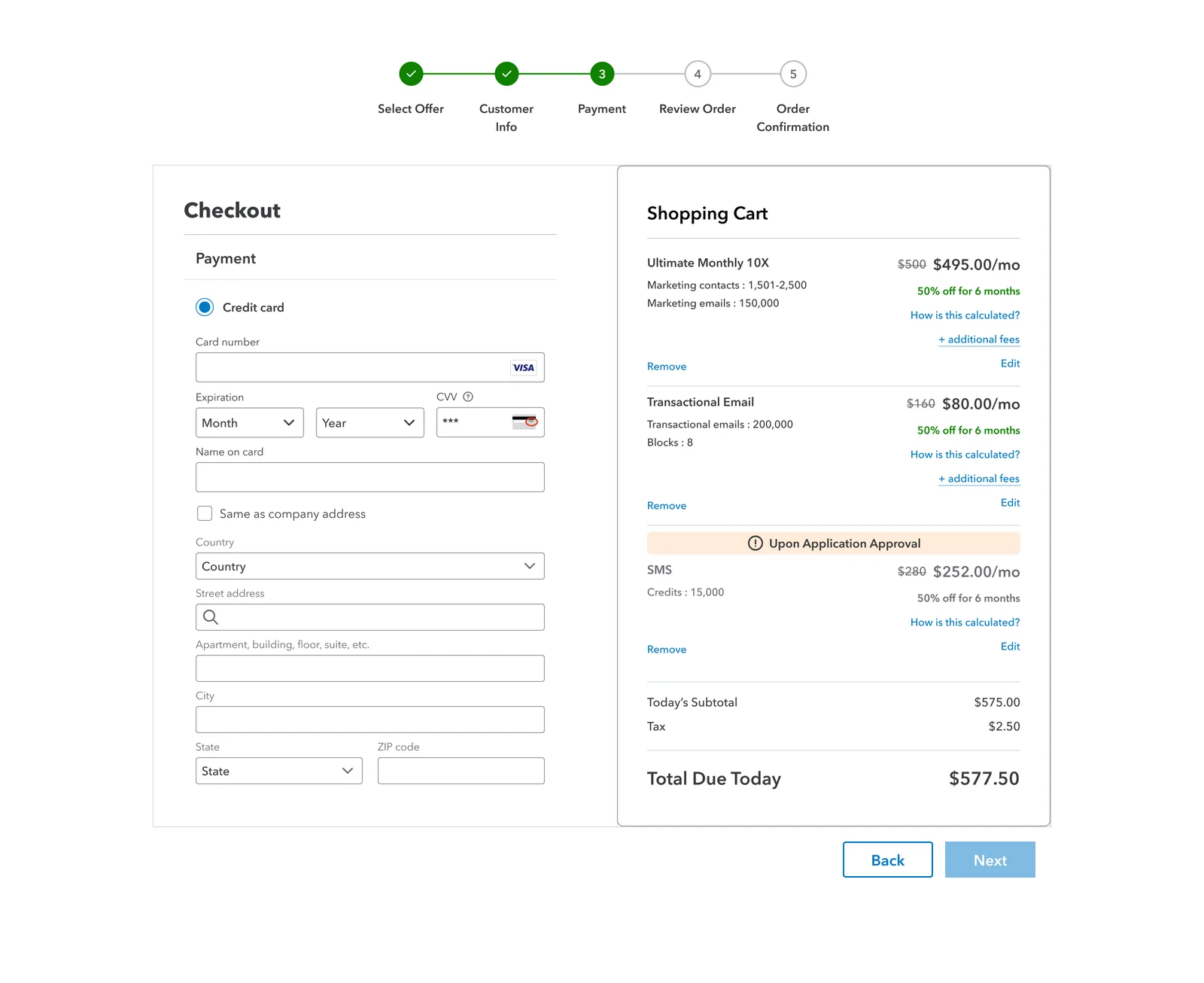
- 03PaymentEnter the card and confirm today's total.
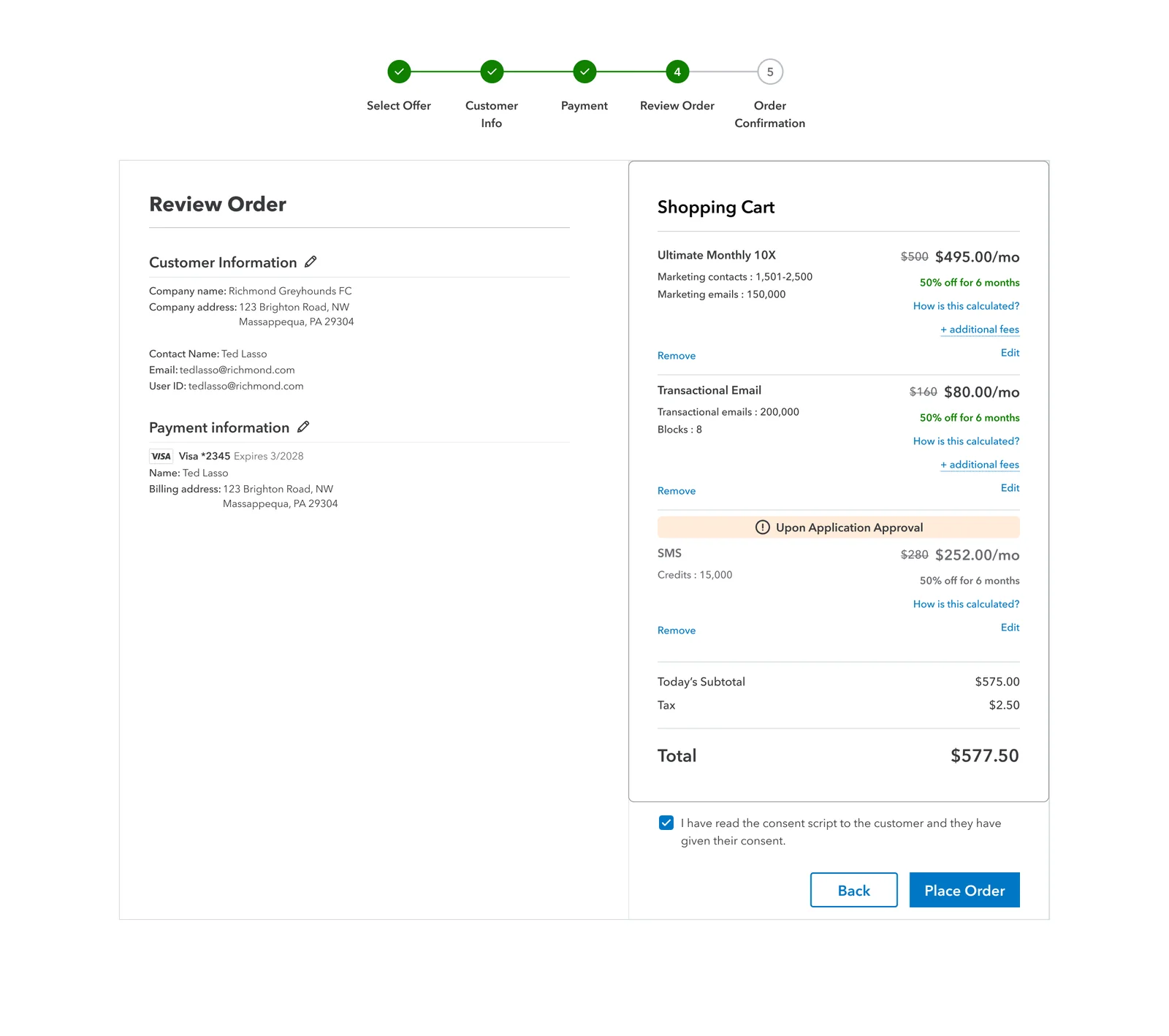
- 04Review orderCheck details and record customer consent.
- 05ConfirmationOrder placed; SMS awaits approval.
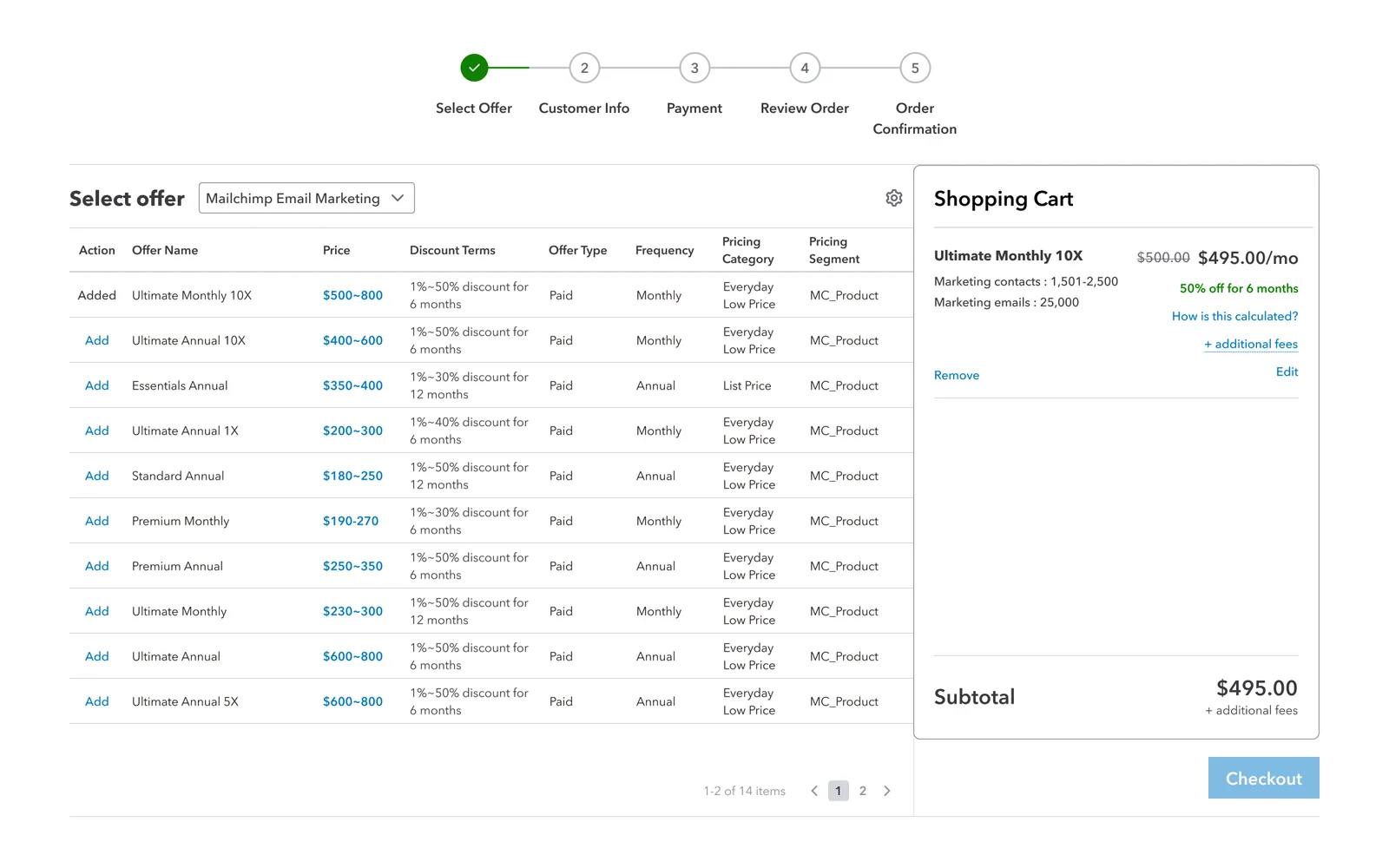
A familiar catalog, with the cart always in view.
Offers show price ranges, discounts and billing, as in the existing flow. The cart stays in view.
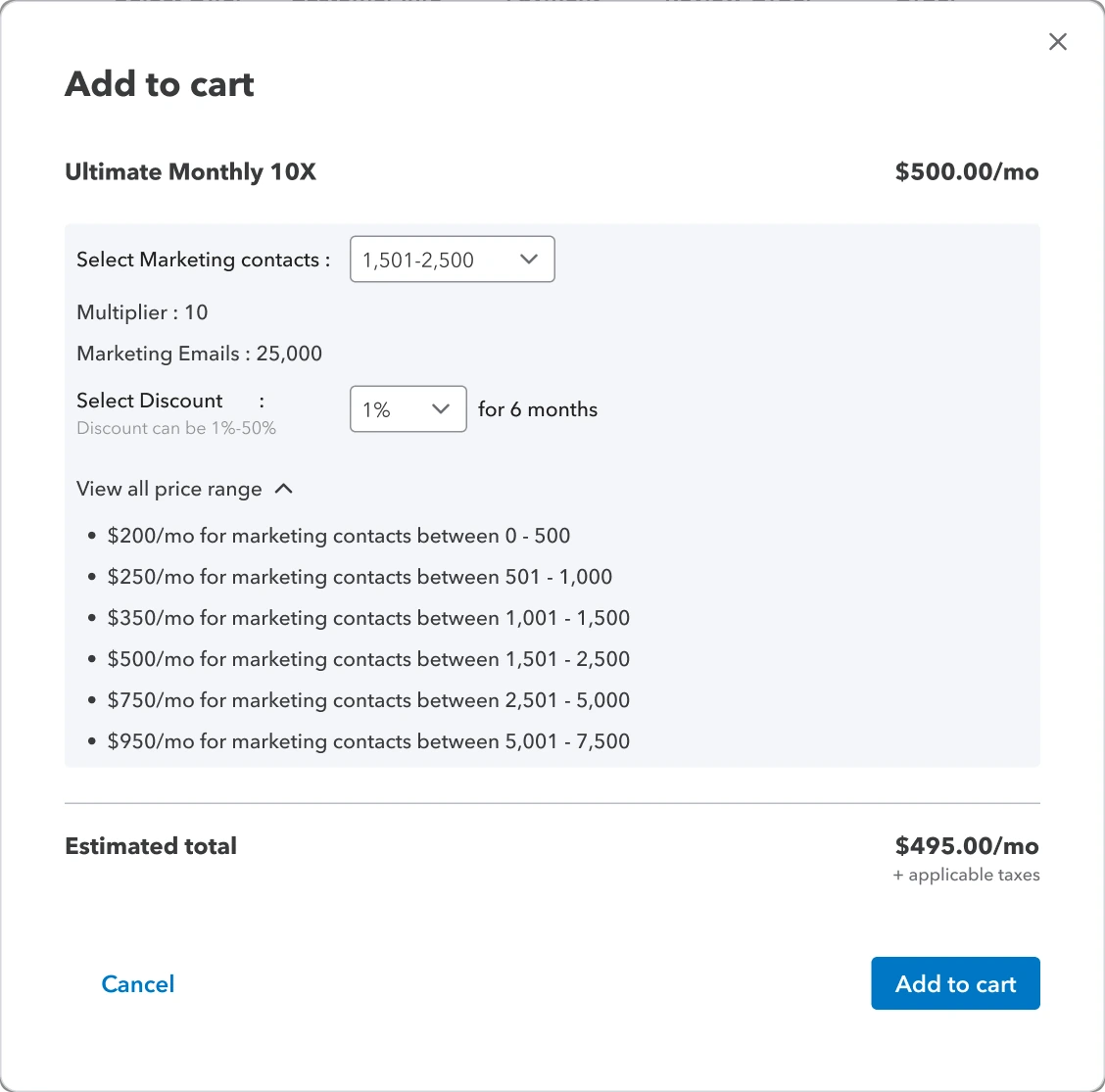
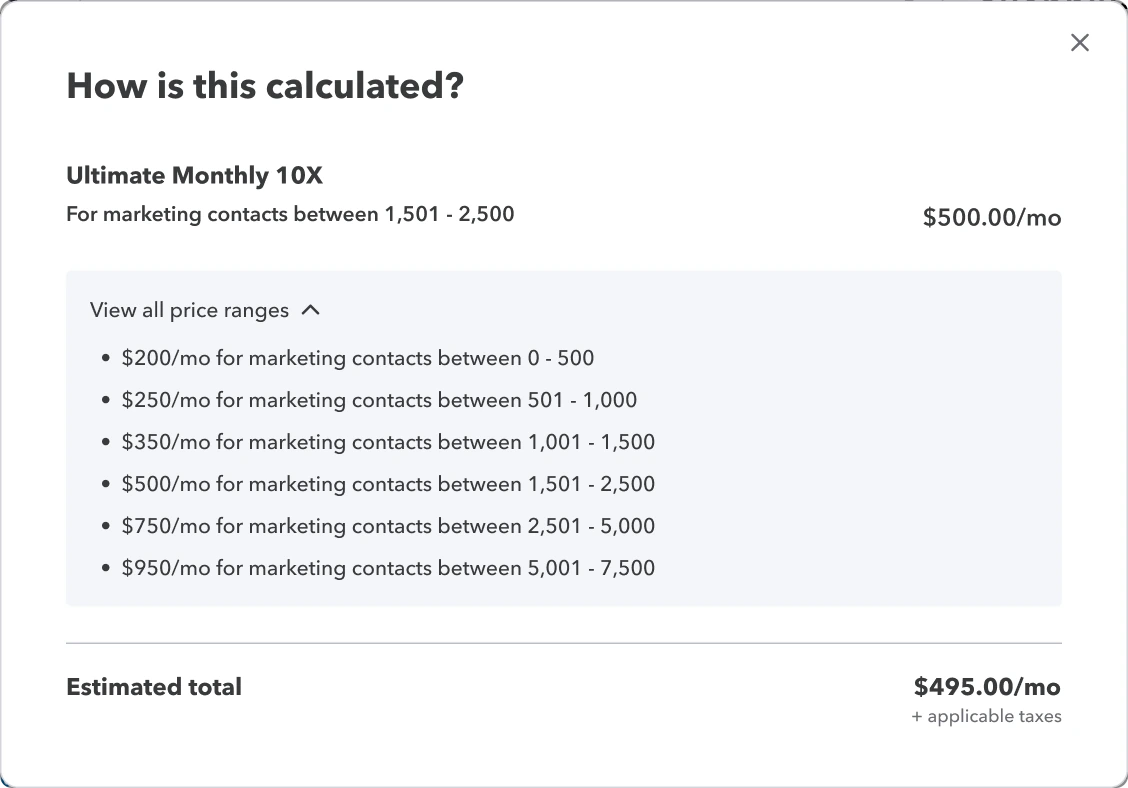
Every price can be explained to the customer.
Tier, discount and price ranges sit in one dialog with a live total. In the cart, “How is this calculated?” shows the maths.
Separating today's charges from charges after approval.
Scroll to see how the cart evolved.
-
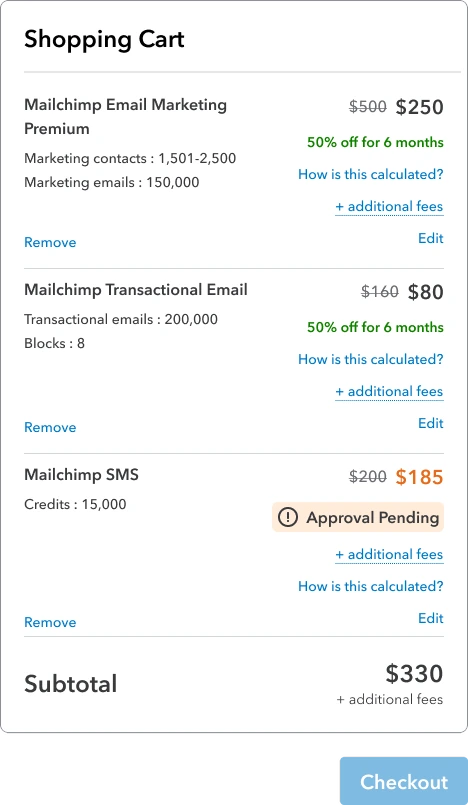 Exploration 1 of 3
Inline status
One list, but it was unclear whether SMS counted toward the subtotal.
-
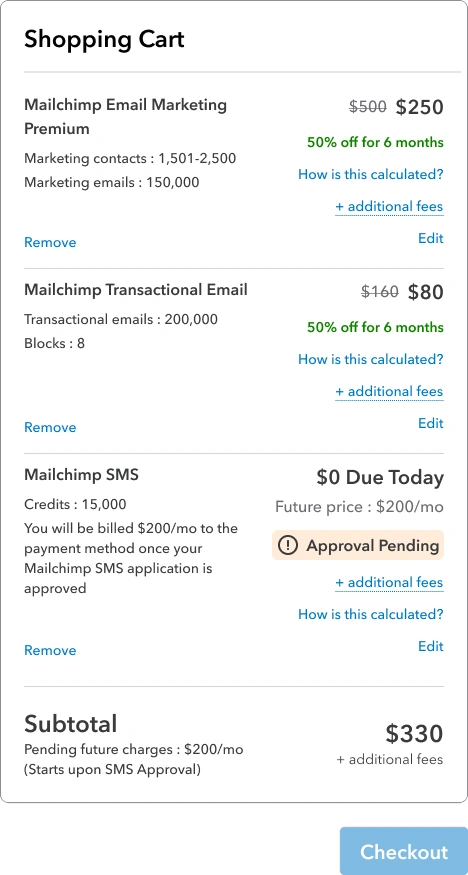 Exploration 2 of 3
$0 due today
Clear about today, but it made SMS look free.
-
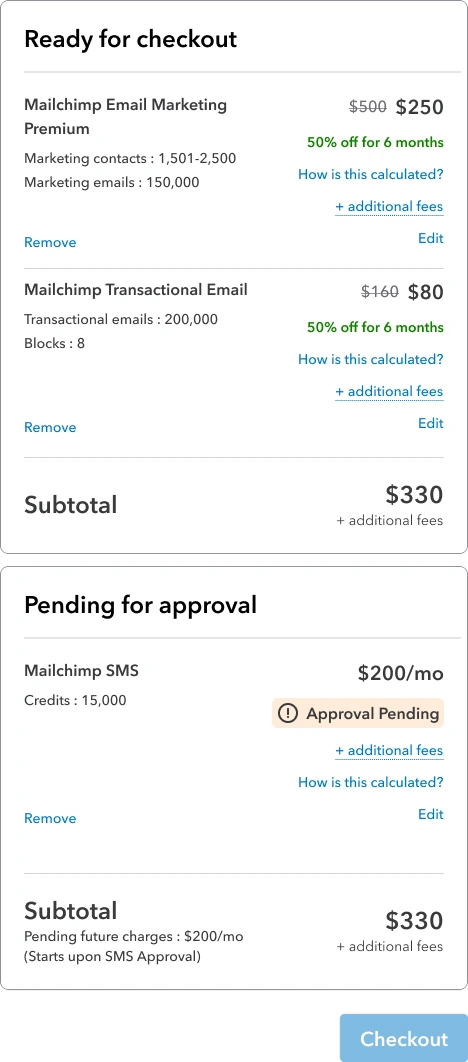 Exploration 3 of 3
Separate carts
Clear, but two subtotals for one order, and not feasible in time.
-
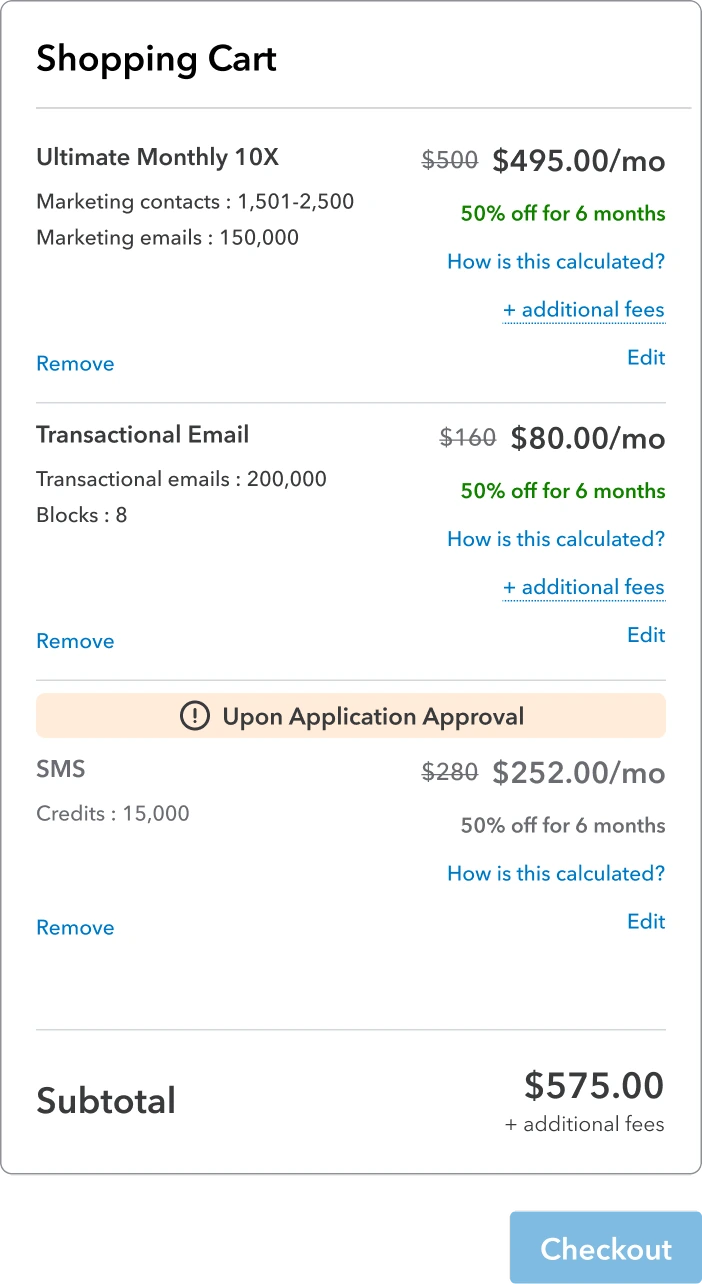
 Final direction
A dedicated approval section
SMS keeps its price under “Upon Application Approval”, outside today's subtotal.
HoverTap the icon to see its guidance.







One cart with an approval section, over separate carts
- Chose
- A dedicated “Upon Application Approval” section inside one cart.
- Over
- Separate carts, which product managers preferred.
- Why
- Engineering couldn't build split carts in time. One section keeps SMS apart with a single subtotal, and fits future products that need approval.
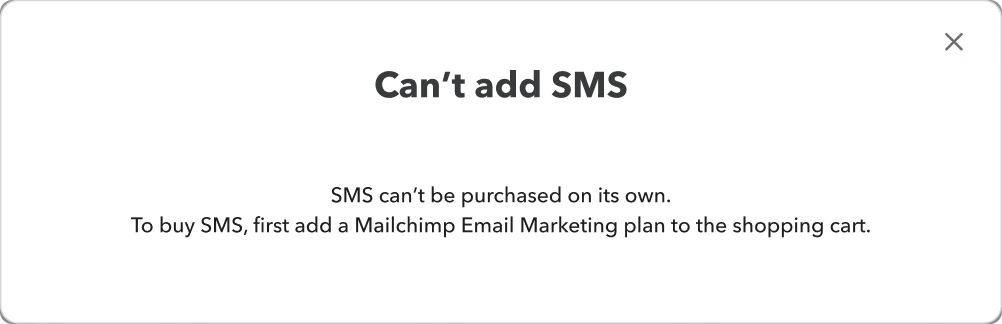
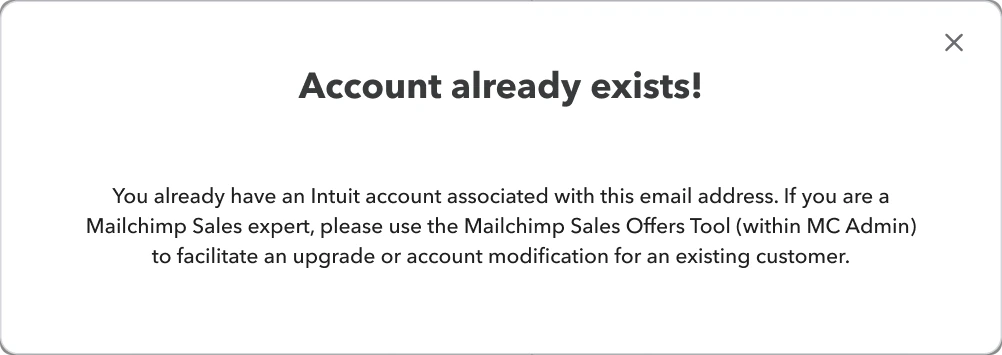
Preventing invalid orders before submission.
Add-ons need a base plan, and phase one is for new customers only. Each message says what's wrong and what to do.
Today's charges stay separate through checkout.
SMS keeps its approval label through to confirmation. Before placing the order, the agent confirms the customer heard the billing consent.
Team, and what I learned.
Team- My contributionResearch, wireframes, cart explorations, final flows, coded prototypes and handoff
- UX lead and staff product designerDirection and reviews
- Product managerRequirements, scope and business goals
- EngineeringFeasibility across order and billing systems
- LegalBilling consent requirements
- FinanceDiscount rules
Alignment is part of the design
A design moves only when product, engineering, legal and finance agree. I share options early and explain why.
Copy is a product decision
One cart label shapes billing, compliance and trust on every sale. Plain words prevent costly mistakes.
Design for the system, not the screen
The approval section worked because it can hold future products. I now ask early how a decision will scale.