Enterprises pay by invoice. IES billed a card.
Intuit already offered Net Terms on an older billing system. IES runs on newer billing that could only charge a card or bank account.
- Purchase order
- Invoice
- Approval
- Payment run, within terms
- Card or bank account on file
- Charged on the billing date
- A failed charge pauses access
One enterprise customer paying $29K a year lost access over a failed $1.50 charge.
How can IES customers pay by invoice without changing checkout for anyone else?
How it started, and who it serves.
- Customers ask supportFor invoice billing, logged against their Realm ID
- Finance and paymentsRequests reach the teams that own billing
- Net Terms for IESAdded to the shared payment widget
Realm IDIntuit's ID for each business. It decides eligibility and which Net Terms state a customer sees.
Three audiences, one payment widget.
-
QuickBooks Accountant
Accountants
Firms paying for their own and their clients' subscriptions.
-
QuickBooks Online and IES
Direct customers
Businesses paying for their own IES.
-
Partner Portal
ProPartners
Intuit partners who sell and support Intuit products.
From the first offer to the last invoice.
- 1EligibleThe option appearsPayment widget
- 2ApplyCompany detailsPayment widget
- 3ReviewCredit checkFinance team
- 4AcceptSave Invoice as the methodPayment widget
- 5InvoiceMonthly, due on termsInvoice and email
- 6PayCard, ACH or wireBilling history
- 7MonitorAlerts at 80, 95 and 100%Email
If unpaidPast the term, the account moves to collections and its terms are locked.
A payment method inside a shared widget.
Products and flows share one payment widget.
Used from TurboTax to the Partner Portal. Net Terms had to show only for eligible customers, and change nothing for others.
Terms change in billing settings, never mid-purchase.
Billing settings
- Apply for Net Terms
- Track the application
- Switch between Immediate and Net Terms
Upgrade, downgrade, resubscribe, new orders
- Pay with the terms on file
- No applying
- No switching terms
- ExceptionOpen Net Terms invoices block a switch back to Immediate.
- ExceptionIn collections, terms are locked. Only the payment method within them can change.
From choosing Net Terms to paying the invoice.
- RequirementsUse cases per customer type and mode
- Figma11 flows across four surfaces
- ReviewsConsent, invoice and email copy with Legal and FLP
- HandoffClickable prototypes for engineering
Four short steps, most fields pre-filled.
Shown in QuickBooks Accountant, where firms choose how to pay.
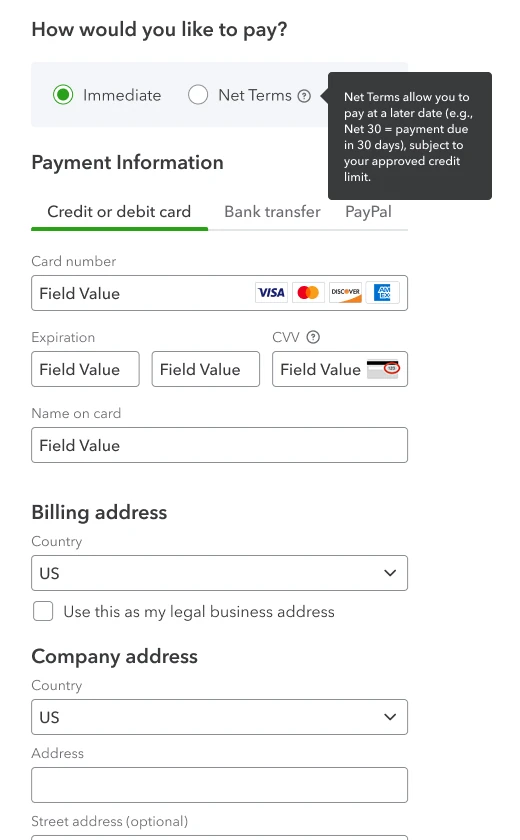
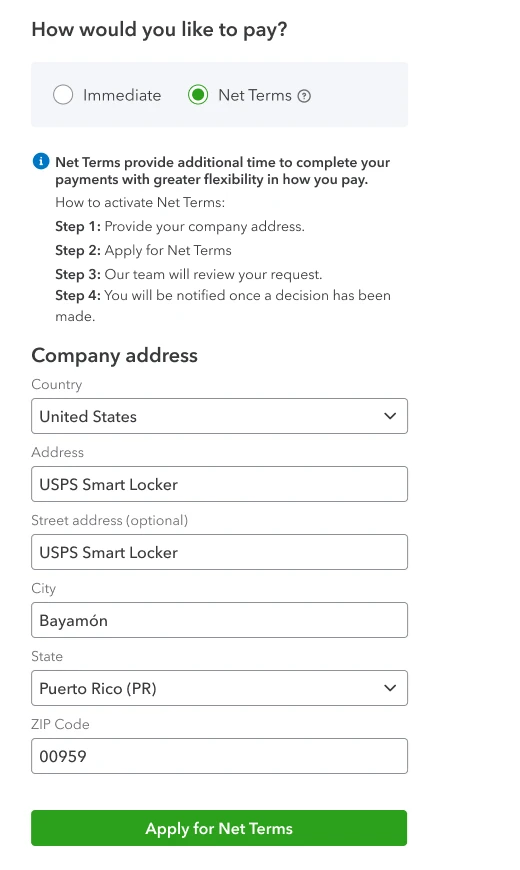
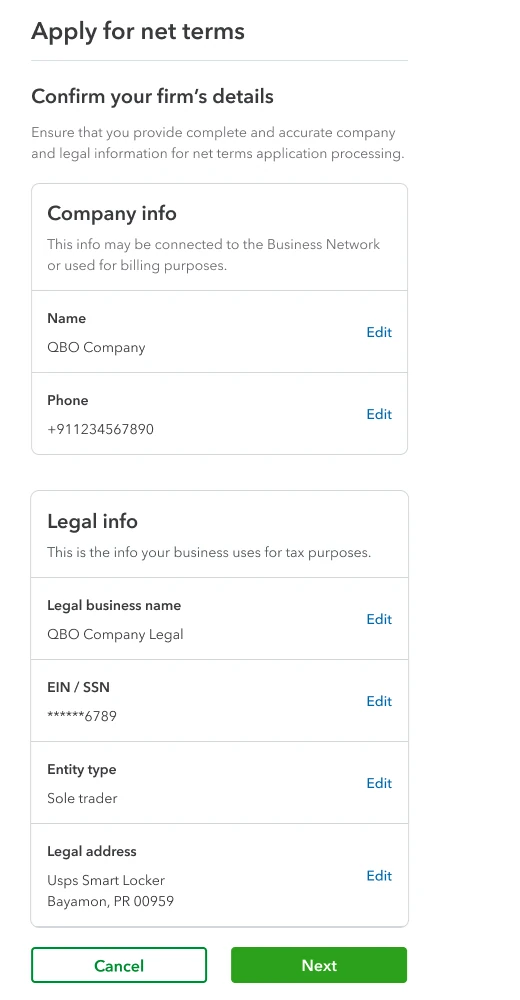
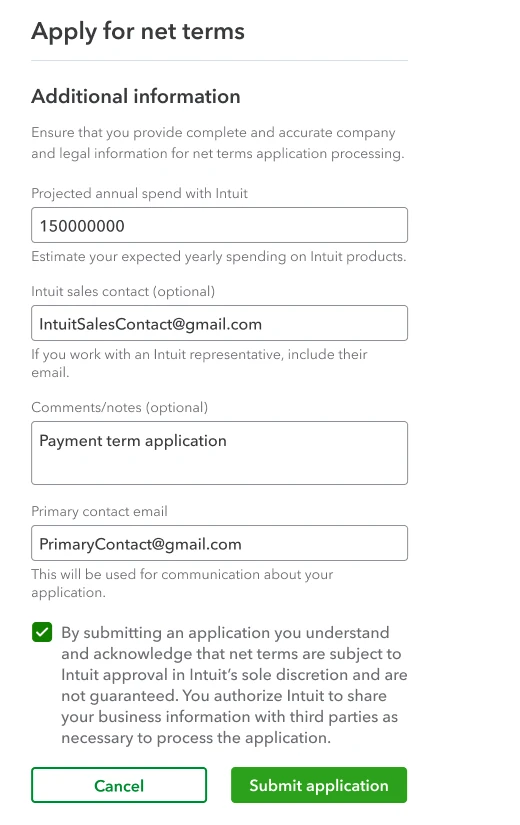
TargetFewer than 5% of applications blocked by missing information or errors.
Every answer comes with a next step.
The QuickBooks Online widget in each state. Pick one, or let it play.
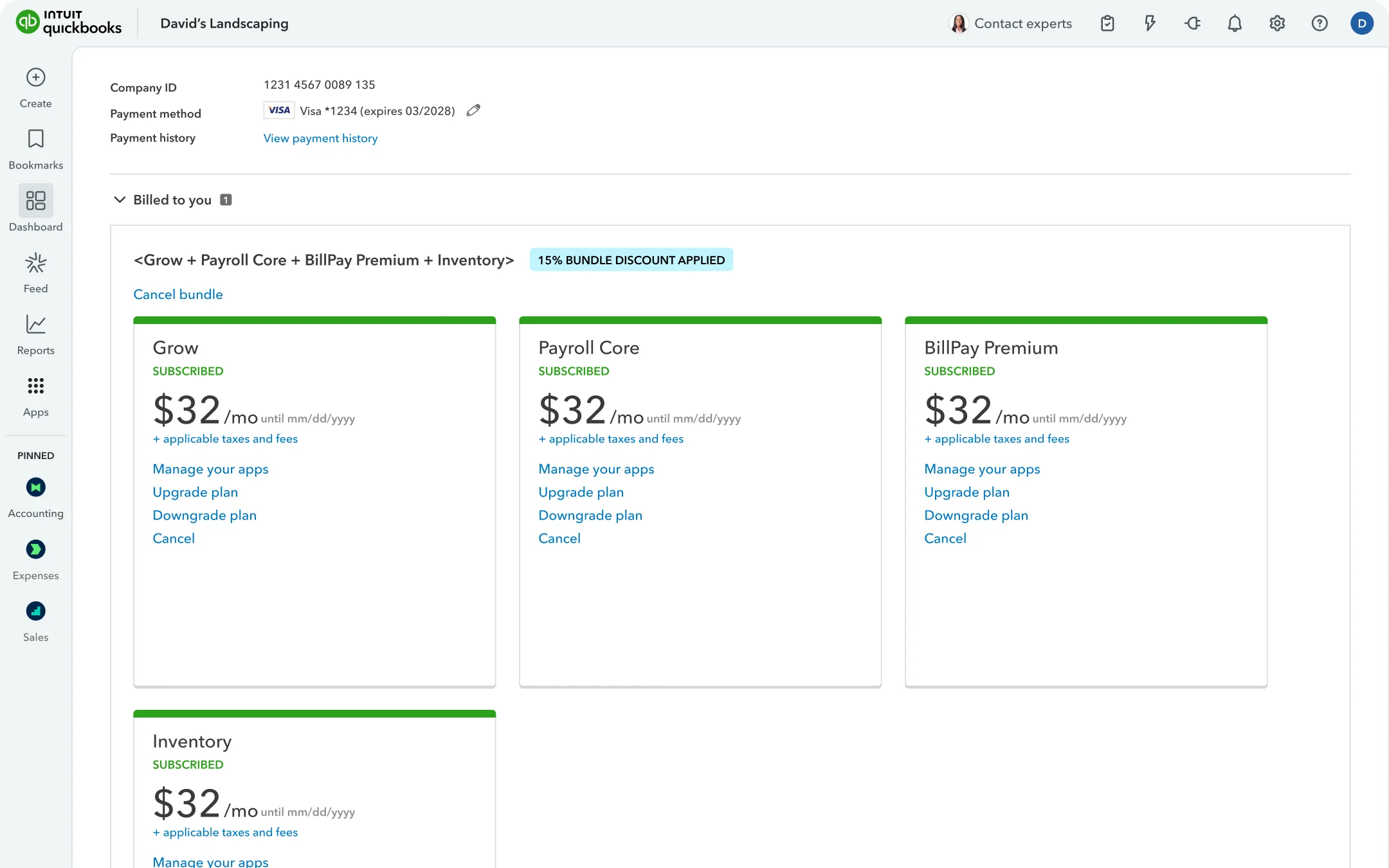
Not eligible. The option never appears, even if eligibility can't be checked.
Eligible. Net Terms sits beside Immediate, which stays selected.
In review. Payments continue on Immediate. If the status can't load, this shows.
Declined. The customer continues with Immediate Terms.
Approved. Invoice Net 30 becomes the payment method once saved.
Open invoices. Switching back waits until every invoice is paid.
A recreation of the original screens, rebuilt for this portfolio with the shipped copy.
A declined application leads back to Immediate, not to Customer Care
- Chose
- One next step in the widget: continue with Immediate Terms.
- Over
- Pointing declined customers to Intuit Customer Care.
- Why
- Intuit doesn't explain declines, so Care couldn't help. Sending customers there would only add support calls.
The invoice becomes the payment method.
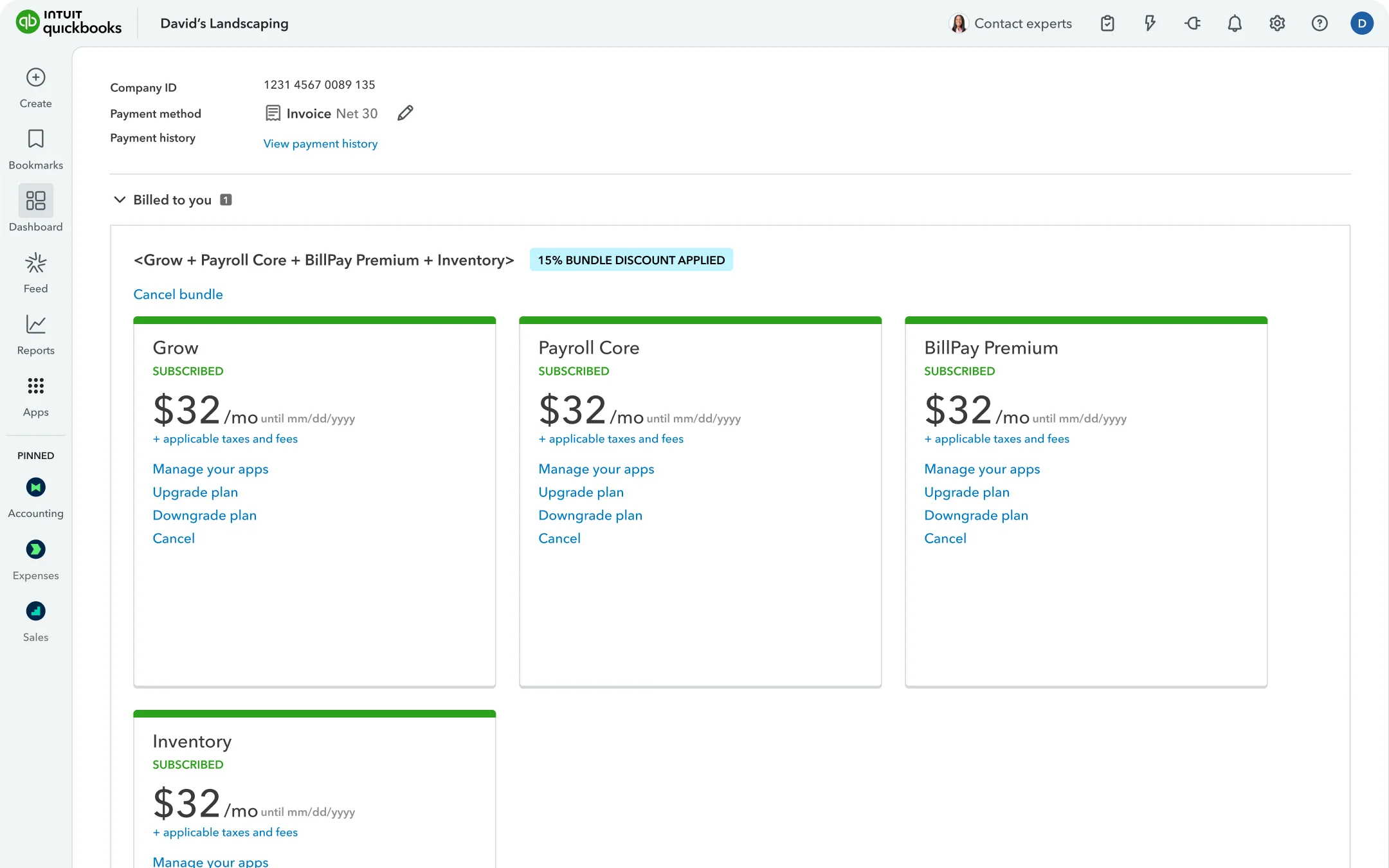
Once saved, the billing page shows Invoice Net 30 in place of the card.
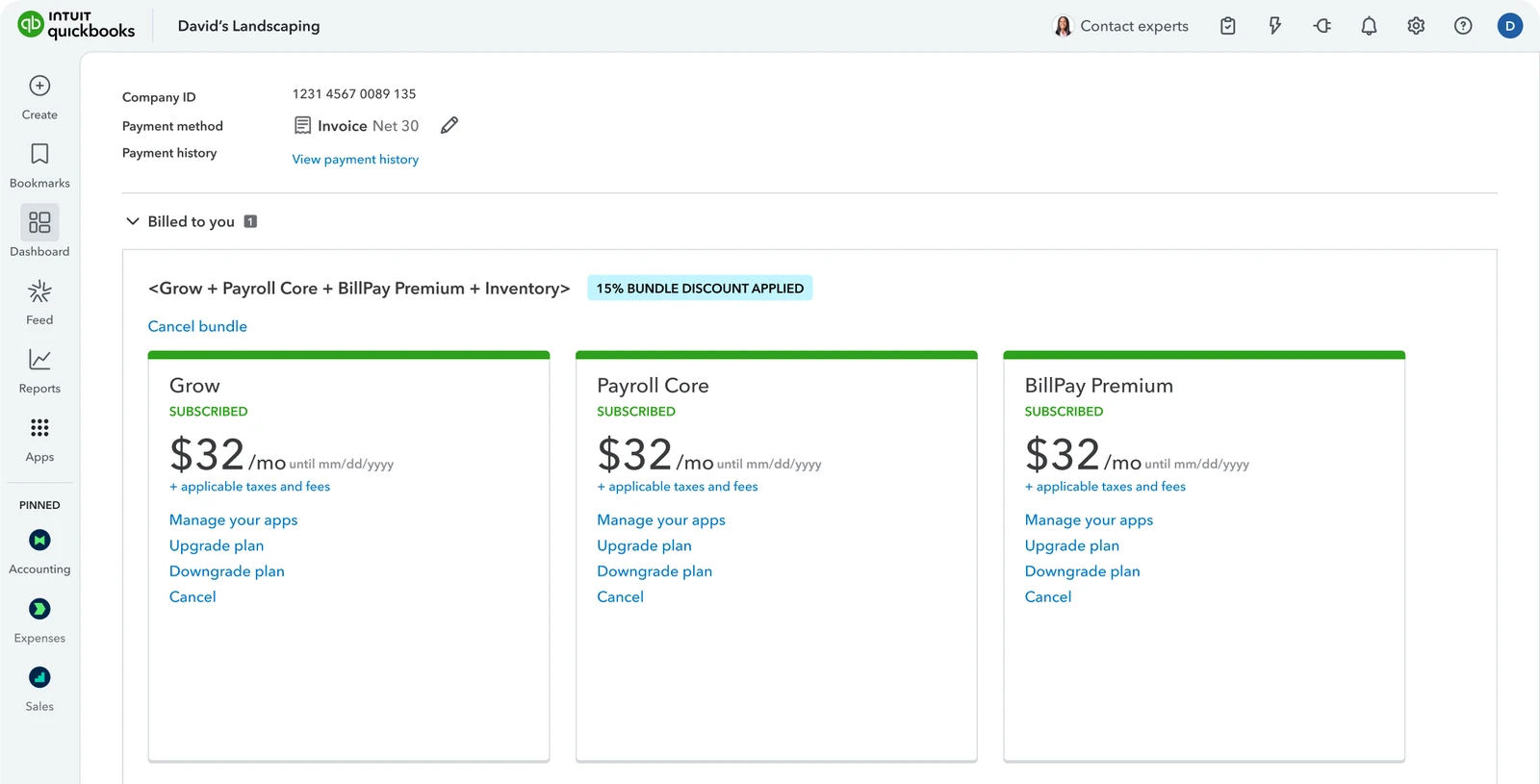
Purchases use the terms on file.
Upgrades, resubscribes and partner orders show Invoice as a fixed payment method.
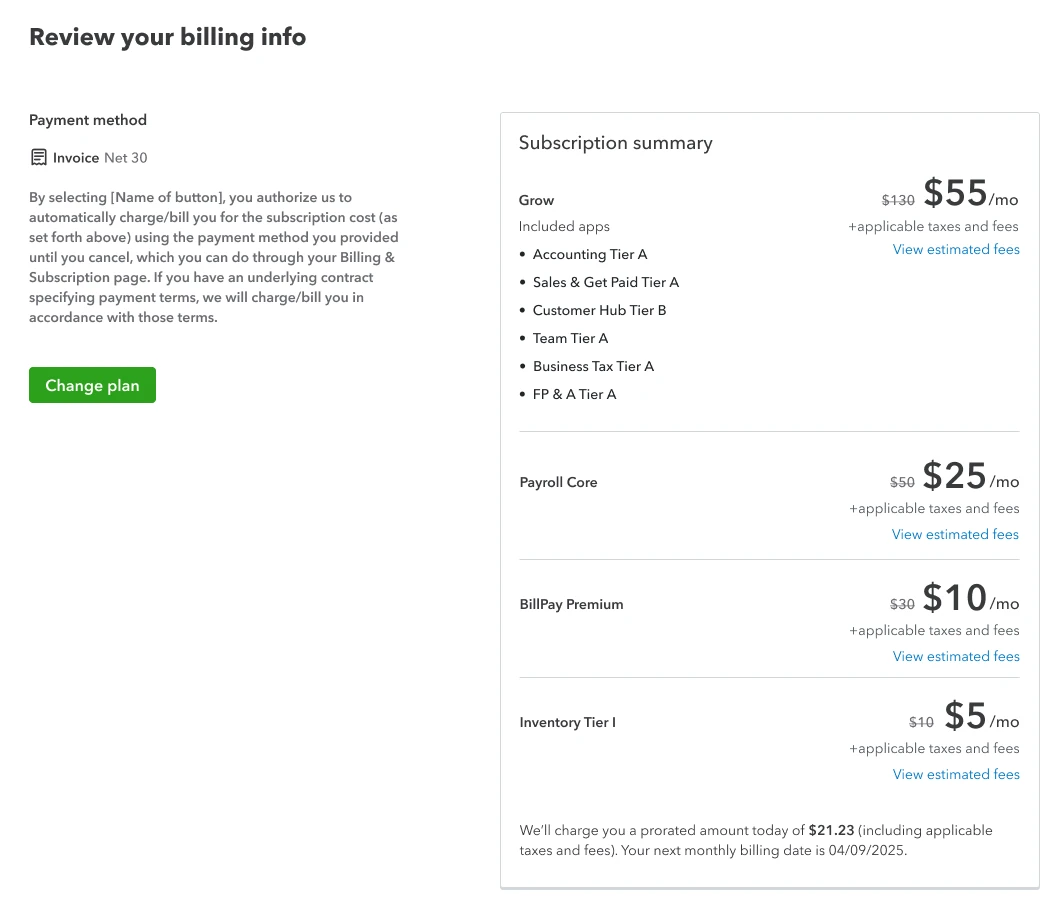
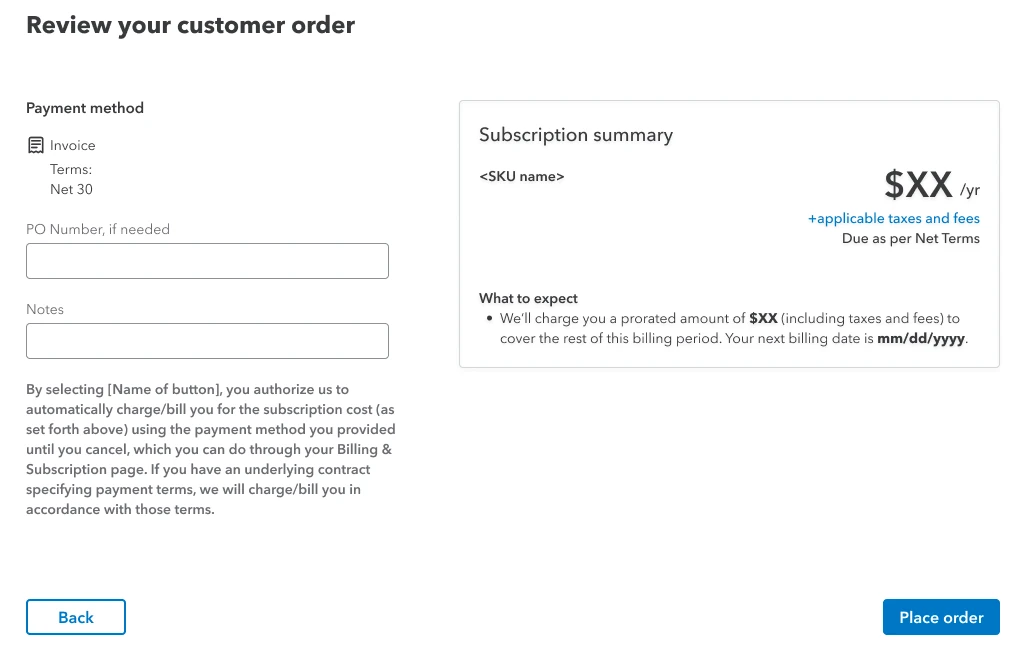
One consent sentence for cards and invoices, agreed with Legal
- Chose
- “By selecting [button], you authorize us to automatically charge/bill you … If you have an underlying contract specifying payment terms, we will charge/bill you in accordance with those terms.”
- Over
- A Net Terms version: “I authorize Intuit to invoice my account on mm/dd/yyyy and monthly after that … under the agreed Net Terms.”
- Why
- “Charge/bill” covers both ways to pay and defers to the customer's contract, so one sentence works in every flow.
Due dates and balances, one click from payment.
Billing history shows due date, status and balance. Make a payment opens Intuit's payment portal.
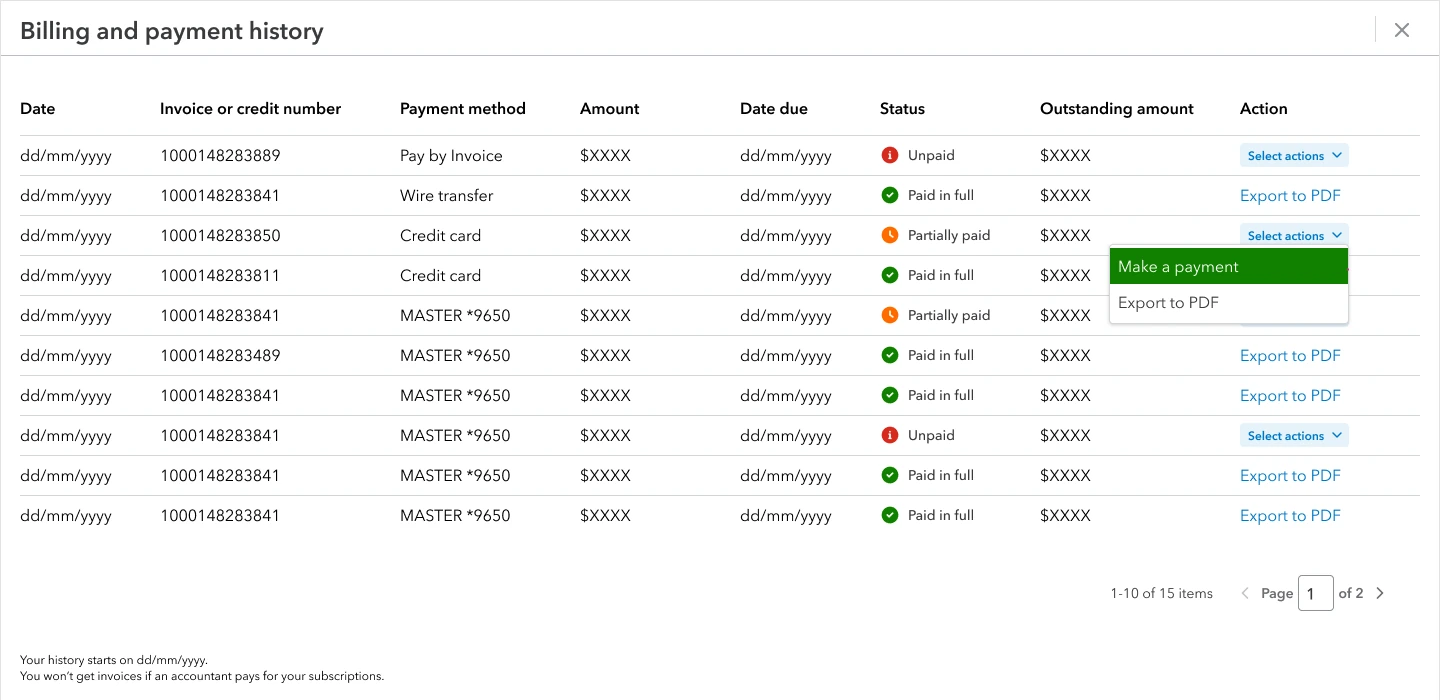
Target80% of payment-portal visitors complete their payment.
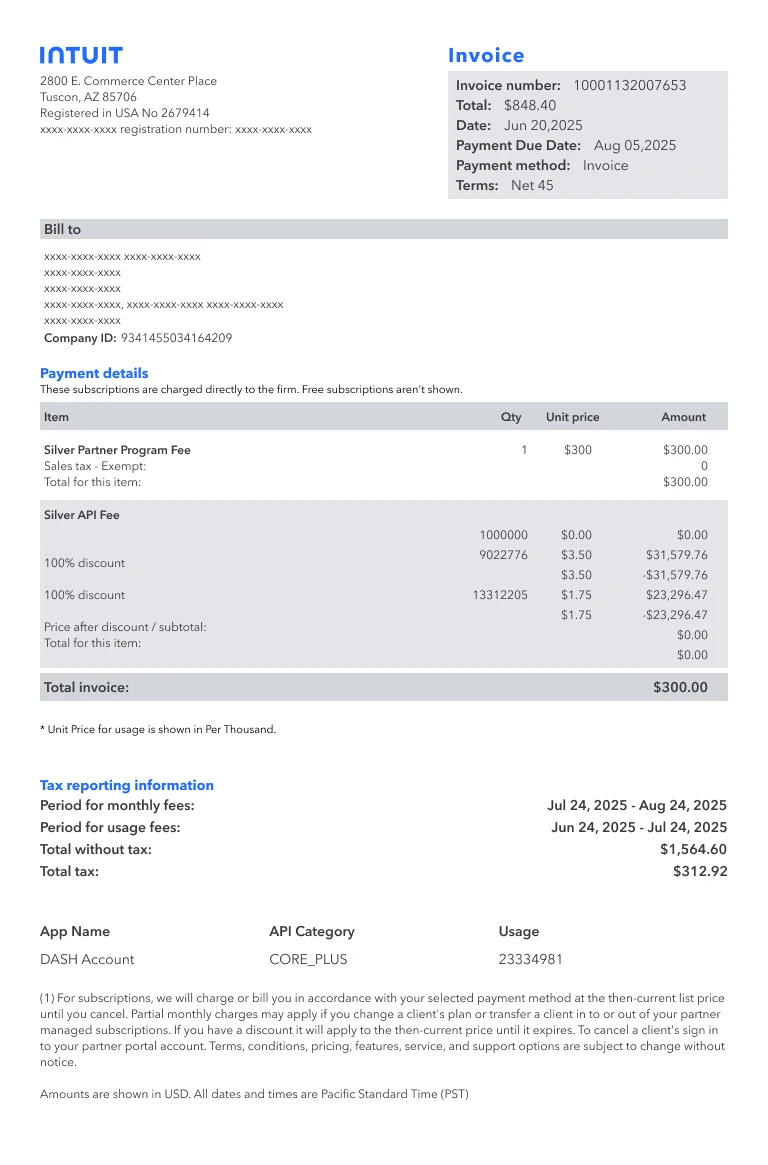
Terms at the top of every invoice.
Payment method, terms and due date sit beside the invoice number and total.
Eight emails, from application to credit limit.
Application updates, the monthly invoice and credit alerts. Watermarked copy was owned by FLP (Finance, Legal and Privacy).
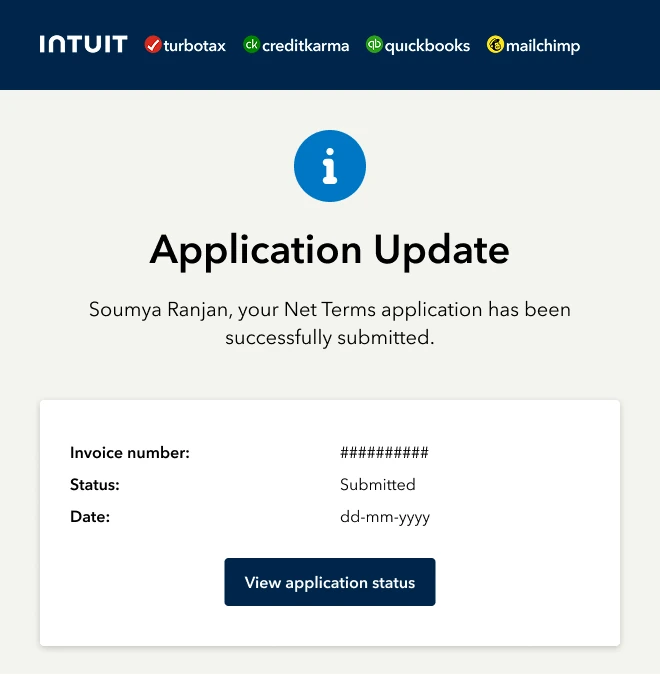
Target30% of invoice-email recipients visit the payment portal.
Team, and what I learned.
Team- My contributionFlows for accountants, customers and partners: widget states, application, purchases, billing, invoices and emails; prototypes and handoff
- Senior designerDesign direction and reviews
- Product managerRequirements, scope and alignment with finance and legal
- EngineeringWidget states, billing changes and integrations
Design the in-between
Review, decline and blocked states needed as much care as approval.
Rules before screens
Agreeing when terms can change settled questions across every flow at once.
Copy is shared work
Consent wording went through Legal, so words were reviewed as closely as layouts.